1082 Smart Switch Operation Manual
CHA-1082-8000/11
__________________________________________________________________________________________________________
__________________________________________________________________________________________________________
Page 46 of 48
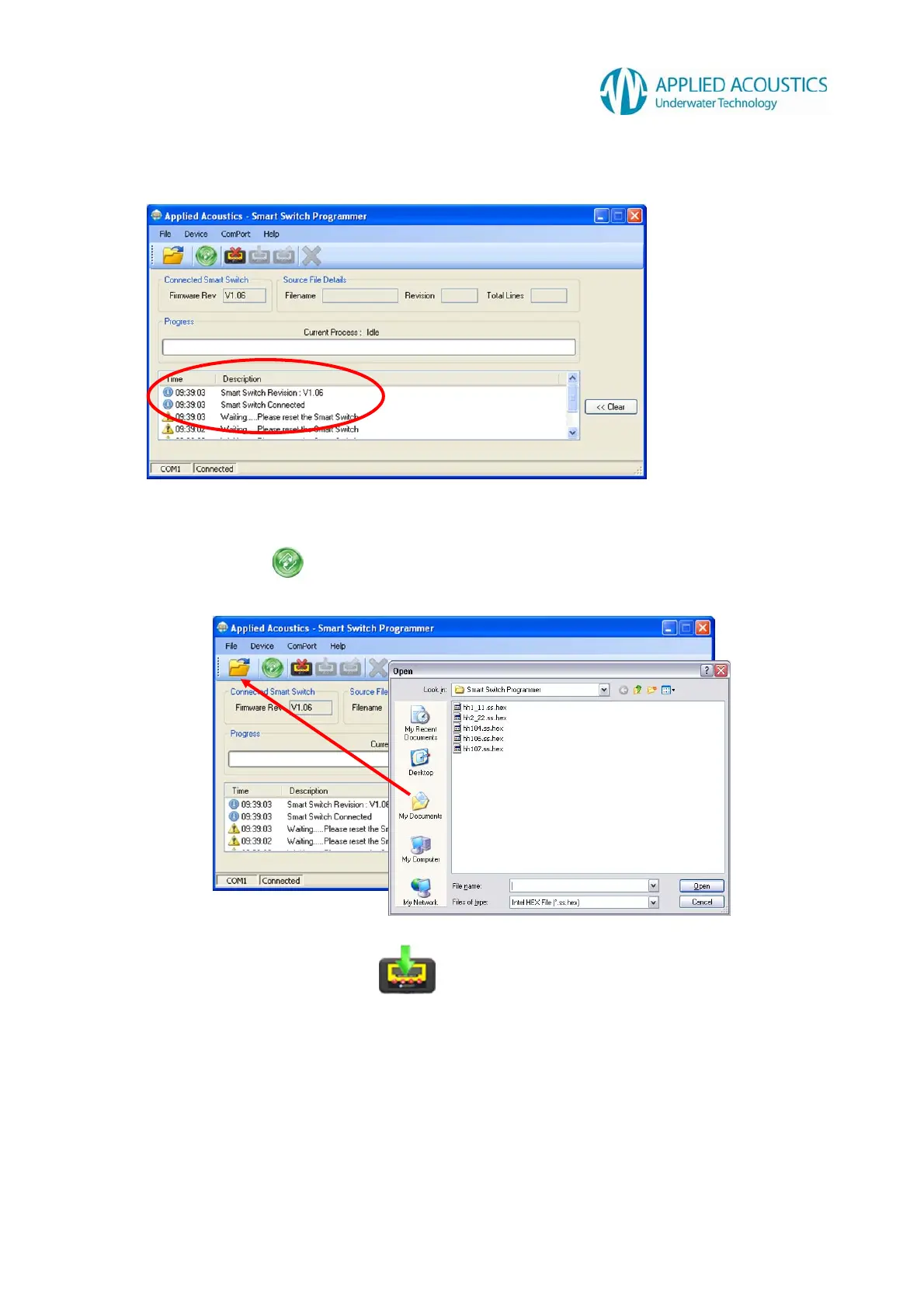
4. Program will try to detect a connected Smart Switch and display the current firmware
revision.
If the software does not detect a Smart Switch within approximately 15 seconds the
detection will be aborted. To attempt a reconnect you may press the ‘Search’ button on the
tool bar
5. Select “Open source file” and open latest firmware version (hhXXX.ss.hex).
6. Program the Smart Switch
Press the ‘Program Smart Switch’ button on the tool bar to proceed with the programming
of the Smart Switch



 To Next Page