© Ikonix USA
16
3.3 Instrument Controls
3.3.1 Front Panel Controls (All models)
1 2 3 5
6
4
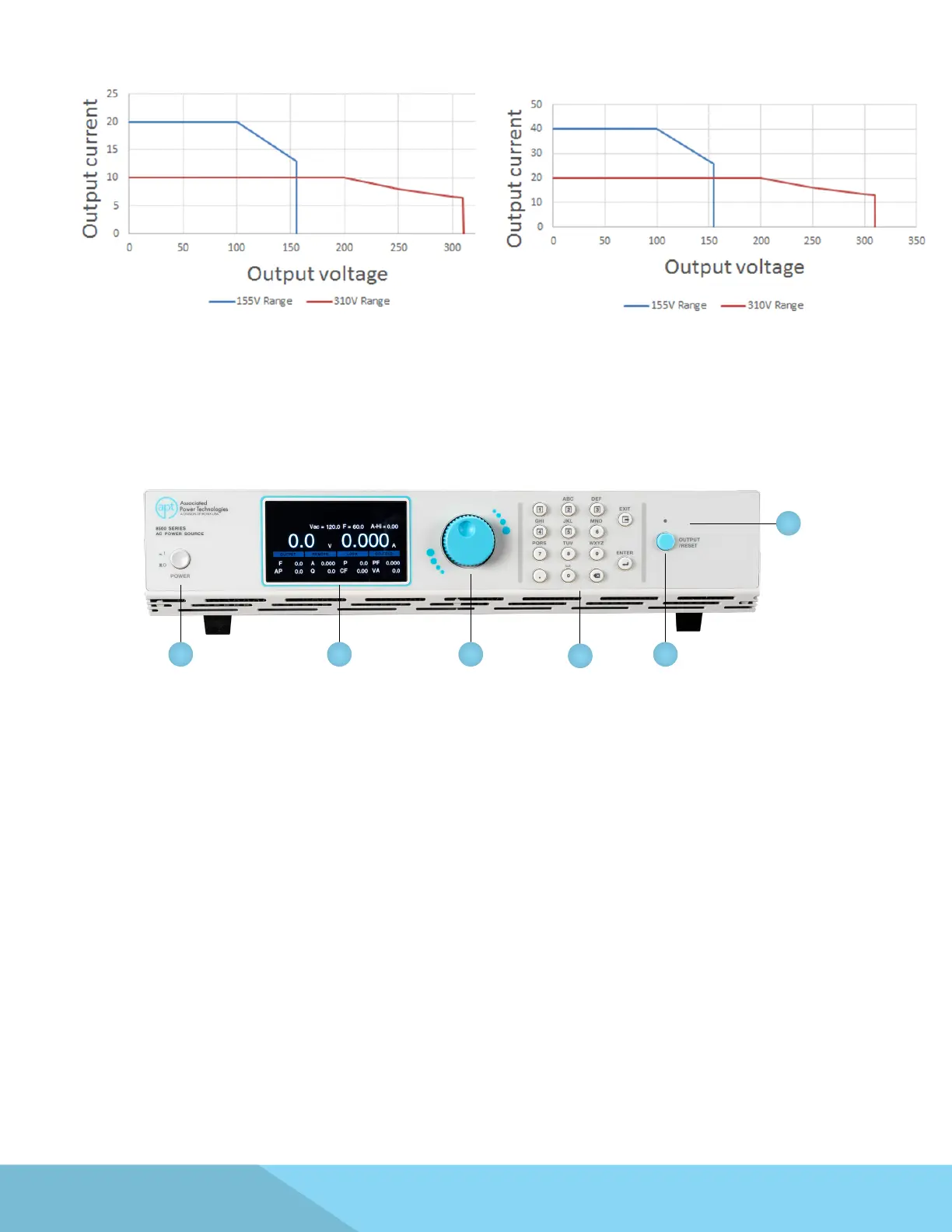
1. Power Switch - Power switch to power the source ON ( | ) and OFF (0).
2. Graphic Display - 480 x 272 TFT LCD.
3. Rotary Knob - Multifunctional rotary knob.
4. Number Keypad - Numeric and mulifunctional keys.
5. Output Button - This button is used for starting and resetting a test.
6. Output Active LED Indicator - This LED will illuminate whenever the output of the source is active.
Model 8520
Model 8540



 To Next Page