© Ikonix USA
24
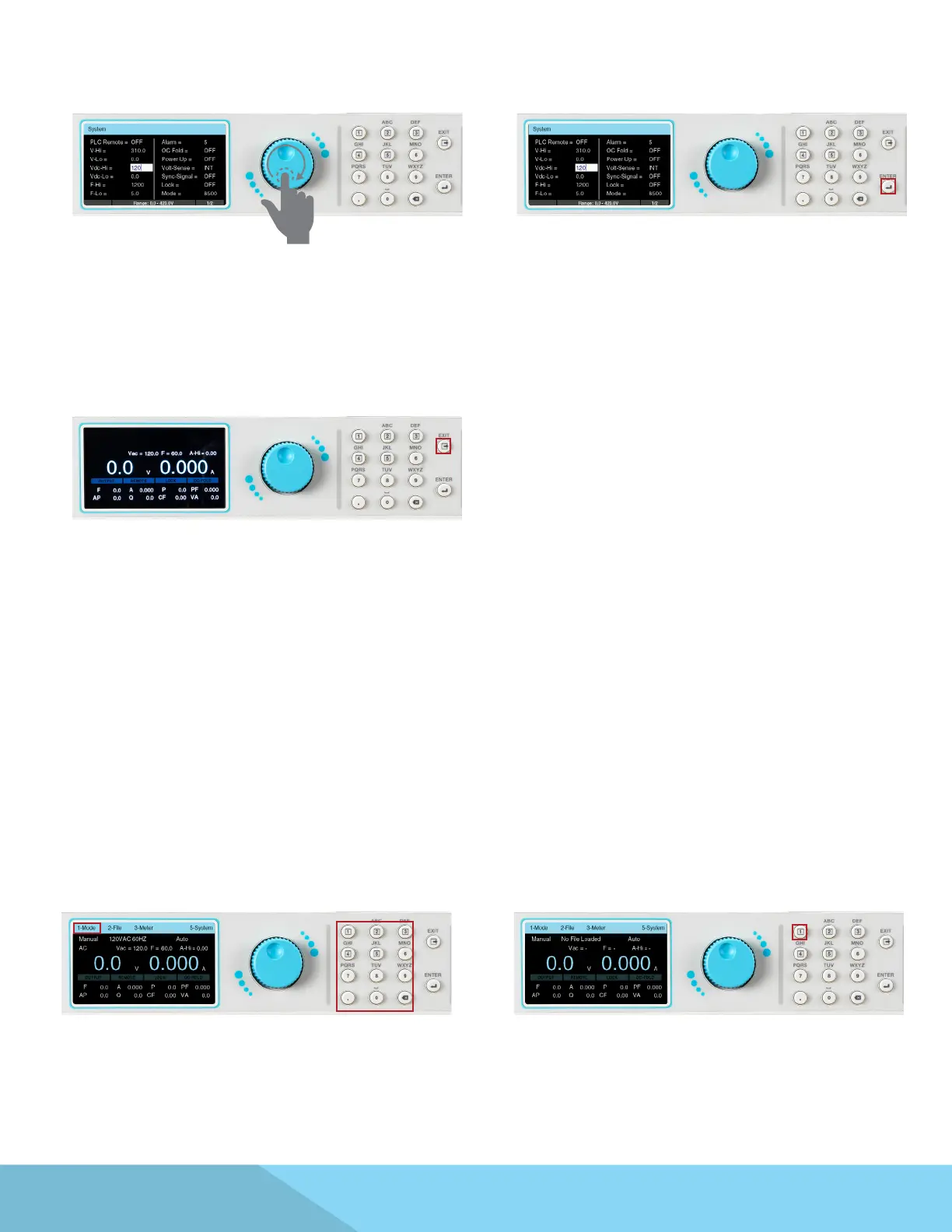
5. Rotate the knob or use the keypad to change
the parameter to the desired value:
7. Repeat this process until all system parameters
have been programmed as desired. Press the EXIT
key on the keypad at anytime to exit out of the
System menu and back to the test screen.
4.4 Mode and File
To program a test le, you must rst specify the output mode. This power source will save the test les for
each output mode. Once you select the output mode, you can then start programming test les.
1. To select the output mode, press any key on
the keypad from the test screen, the drop down
menu bar will appear on the top of the screen.
2. Press the number 1 key on the keypad to enter
the Mode menu. The four selections for Mode will
be displayed on the menu bar, all associated with
a number.
6. Press the rotary knob or the ENTER key on the
keypad to save the value. The parameter will be
saved and the next parameter will be highlighted.



 To Next Page