© Ikonix USA
81
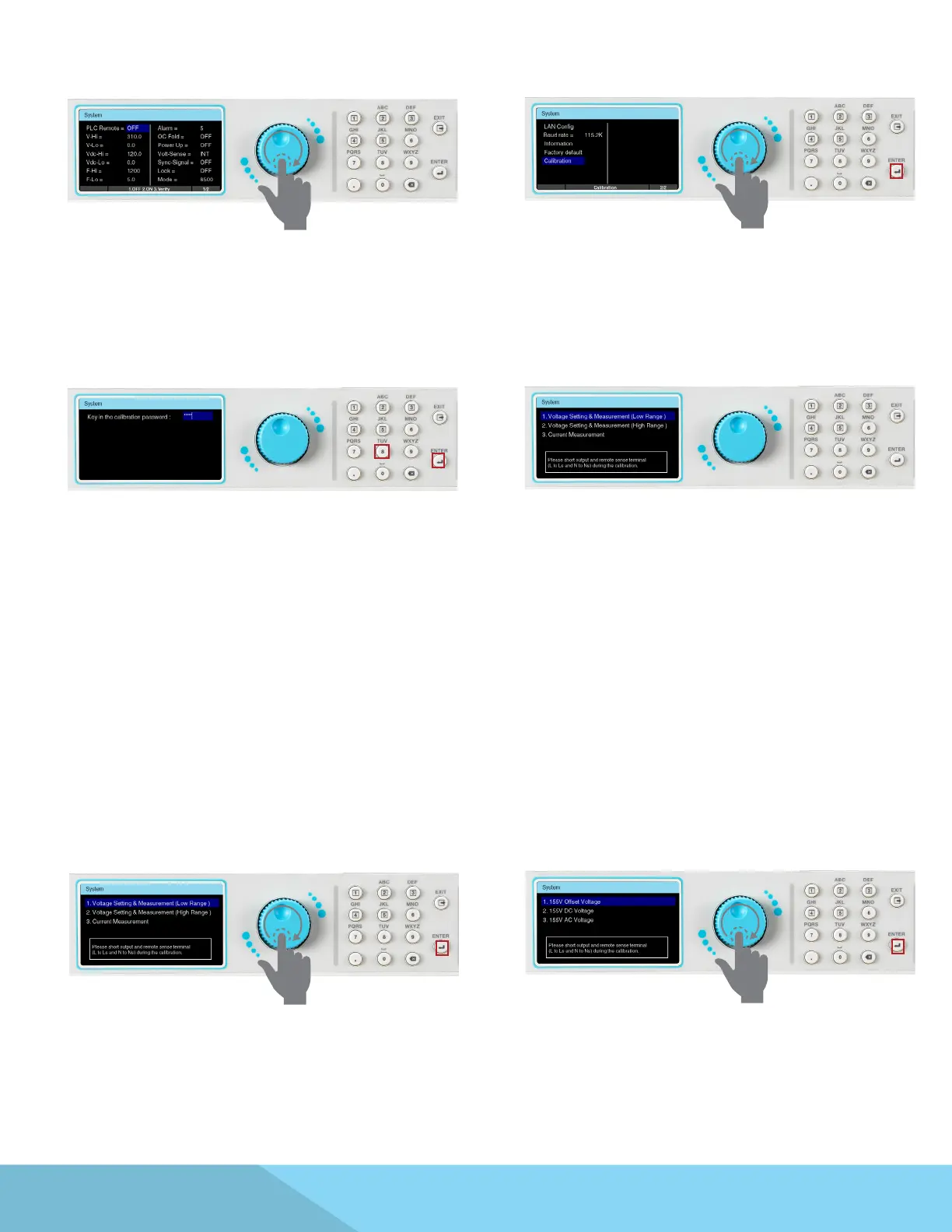
Use the rotary knob to view the next page of the
System screen.
Use the rotary knob to highlight the Calibration
selection and press the ENTER key.
Key in the calibration password 8888 and press
the ENTER key.
Calibration main screen will appear.
The output and remote sense terminal (L to Ls
and N to Ns on the rear panel output terminal
lug) must be shorted during the calibration.
9.2 Calibration of Voltage Setting and Measurement (Low Range)
From the calibration main screen use the rotary
knob to highlight Voltage Setting & Measurement
(Low Range) selection. Press the ENTER key to
view the next page.
Use the rotary knob to highlight 155V Oset
Voltage selection. Press the ENTER key to enter
the next page.
Connect Meter
Connect the outputs of APT 85XX to DVM. DVM is adjusted to Vdc measurement.



 To Next Page