© Ikonix USA
44
5. Perform Test
Once a test le is loaded, the power source is ready to start outputting. Make all of the necessary test connections
to the DUT (Device Under Test) and perform all safety measures before performing the test. Pressing the OUTPUT/
RESET key will start a test.
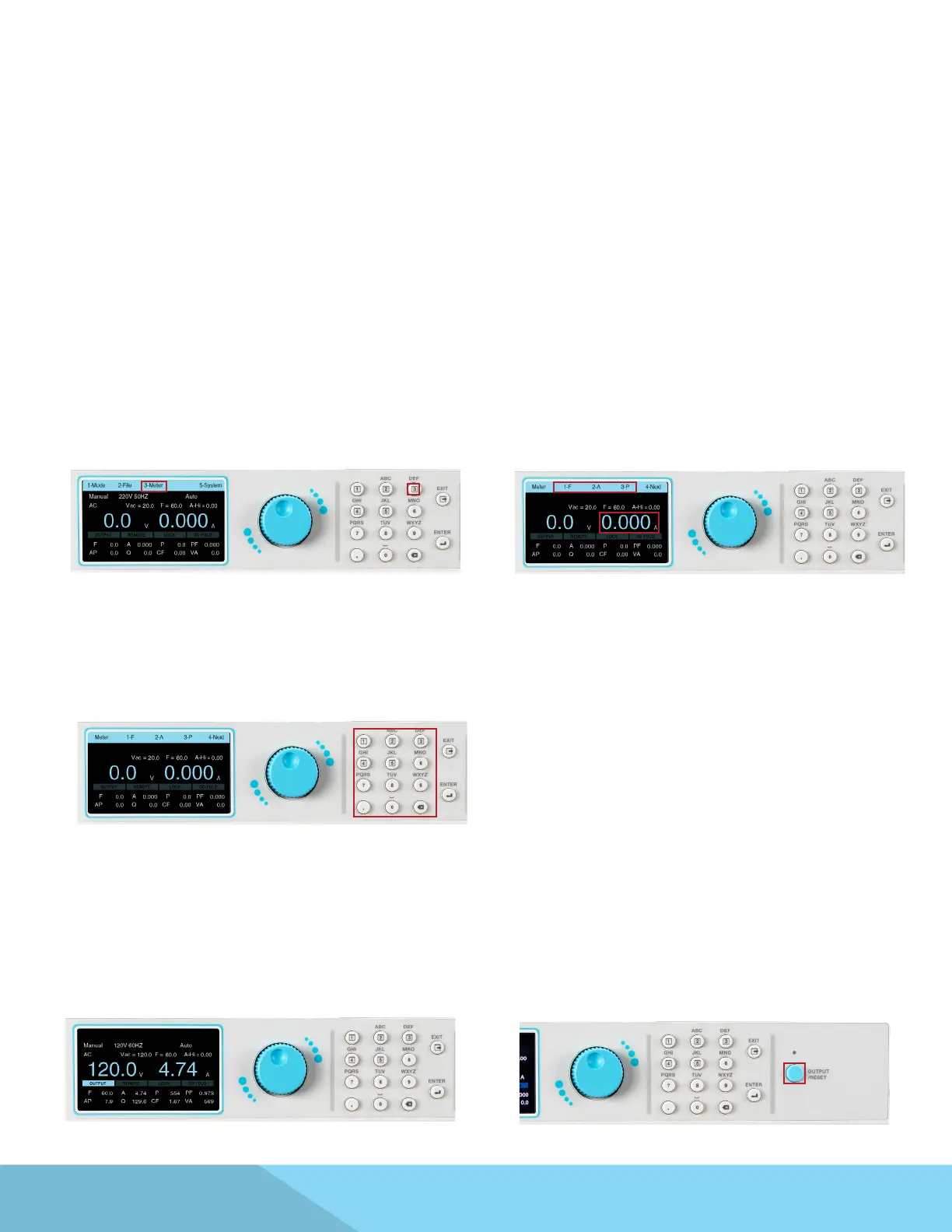
1. The Meter setting of the power source provides
exibility to choose any of the available meters to
appear along side the default Voltage meter. The
two main default meters of the test screen are
Voltage (V) and Current (A). After loading the test
le press any key on the keypad to drop down
the menu bar and press the number 3 key on
the keypad to select your meter of choice to be
displayed along with the Voltage meter:
2. The menu bar will display the selections for
dierent meters along with a selection to view
the next page:
3. Use the keypad to select the desired meter
to be displayed as the main meter along with
voltage.
5.1 Meter
5.2 Manual Mode
1. The Manual Mode test screen will appear
similar to the following:
2. The user can press the OUTPUT/RESET key at
any time during the test to end/abort the test.



 To Next Page