© Ikonix USA
82
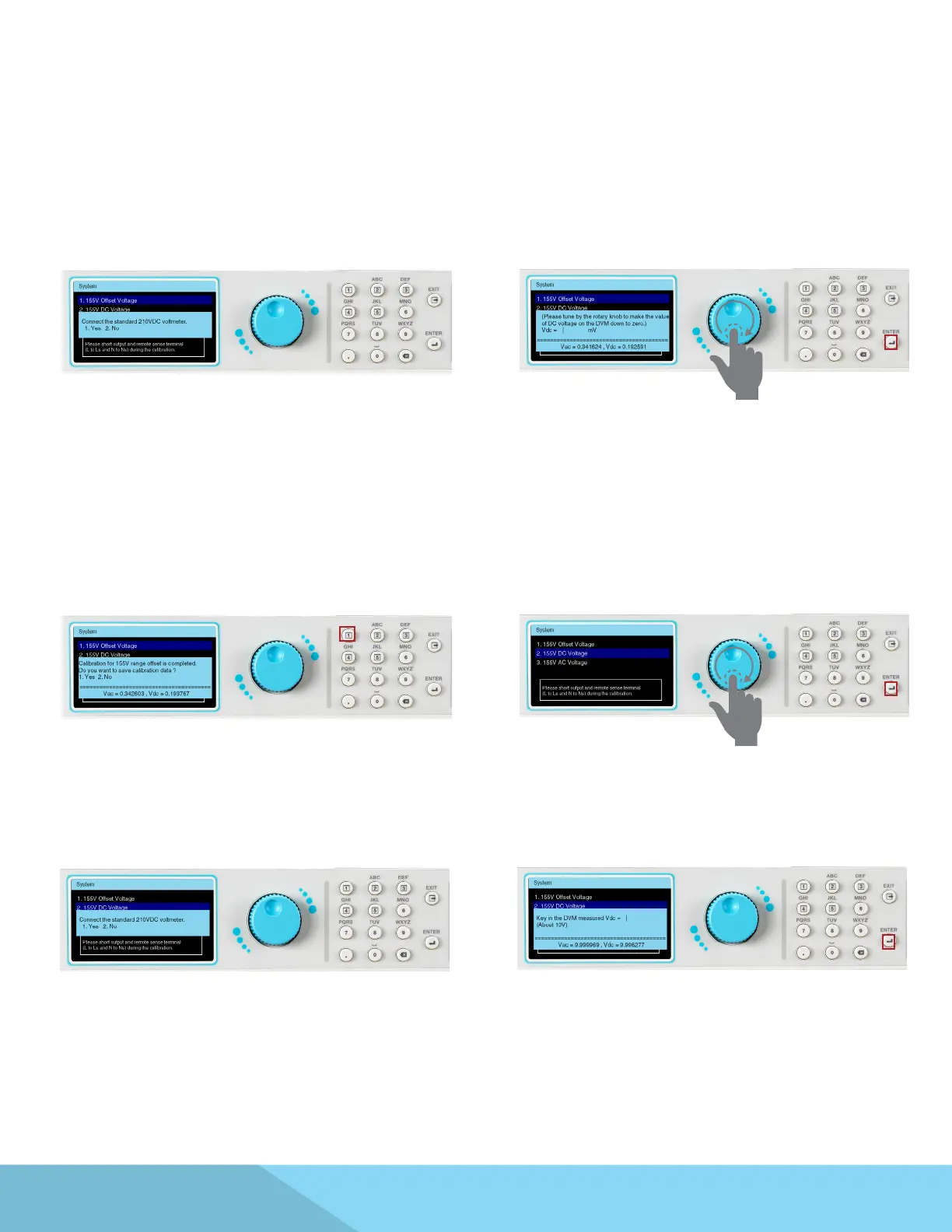
Connect 210VDC voltage meter.
Observe the voltage measurement on the
DVM, then input the “negation value” of the
measurement (e.g. DVM Vdc= 1234mV, input
the value “-1234” , press the . key to enter the +/-
symbol).
Do NOT press the ENTER key after inputting the
value. Dial the rotary knob to adjust the output
until the reading of DVM goes down to zero, then
press the ENTER key.
The measured value Vdc is already close to zero
and this screen will be displayed.
Press the 1 key to save the correction value.
Use the rotary knob to highlight the 155V DC
Voltage selection.
Press the ENTER key to view the next page.
Connect 210VDC voltage meter. Input the Vdc measurement of the DVM.
Press the ENTER key to view the next page.



 To Next Page