5 MENUS AquaLab
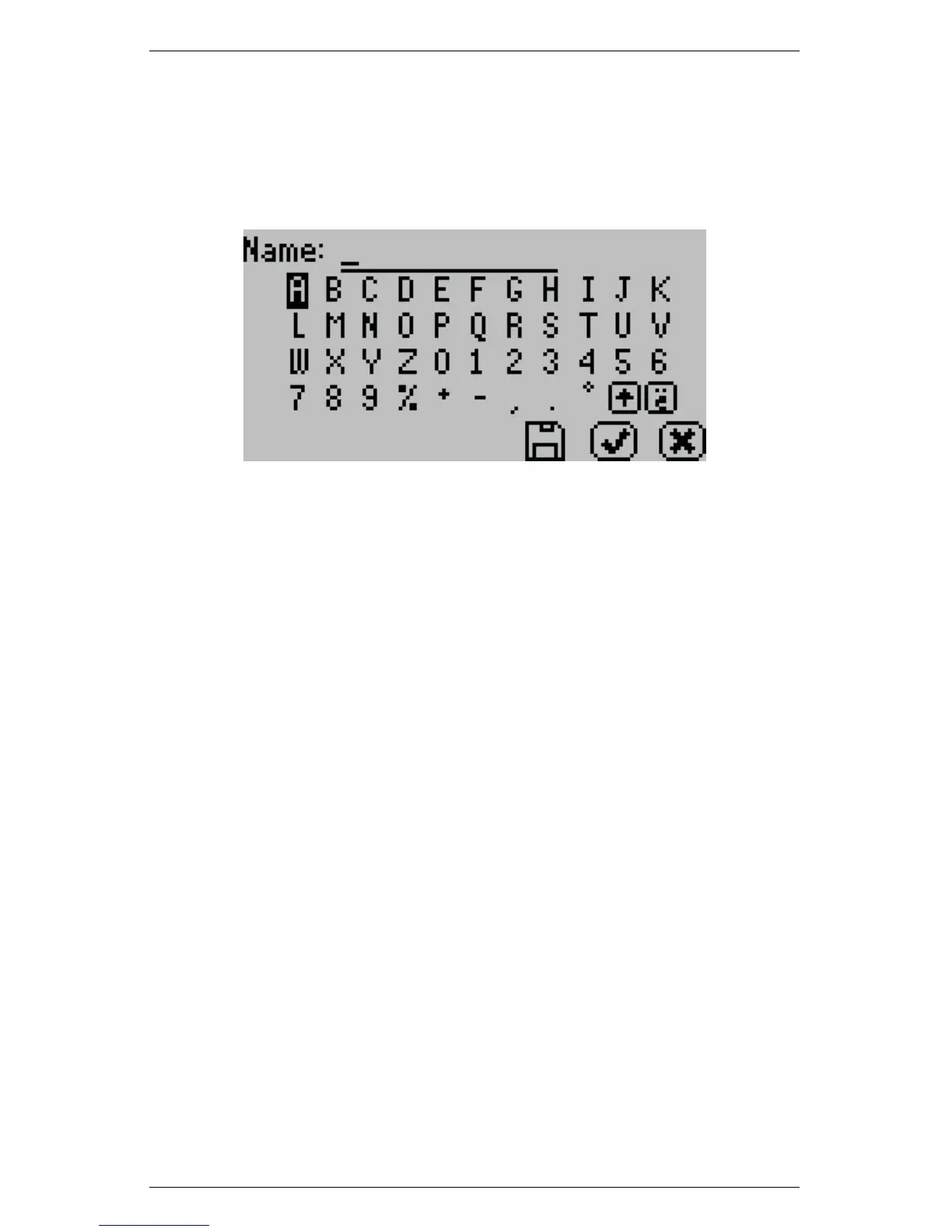
alphabet screen will appear where you can enter a name using lower
case, upper case and accents.
Note: User setup is not required for instrument operation. It is in
place for users wanting to be compliant with 21 CFR Part 11 or who
want to maintain the settings they have selected.
Auto Save
AquaLab Series 4 models have the ability to store water activity
readings within the instrument. By selecting Auto Save “On,” the
instrument will automatically store every water activity reading in
the internal memory. AquaLab Series 4 can store up to 8,000 records
before the memory is full. If you turn Auto Save “off” then the in-
strument will not store data automatically, although you may store
any individual reading manually right after the test is completed and
before the next test is started.
To manually store a water activity or append an annotation to the
active reading that has been autosaved, press the save icon button
after the water activity measurement is completed. Pressing the icon
opens a “Name” screen. You may give this reading a name by press-
ing the arrow buttons to highlight the letter and then pressing the
“Check” icon button. Press the save icon to save this data record
with the name you have specified.
Note: Pressing the save icon button without giving it a name will
24


 To Next Page