97
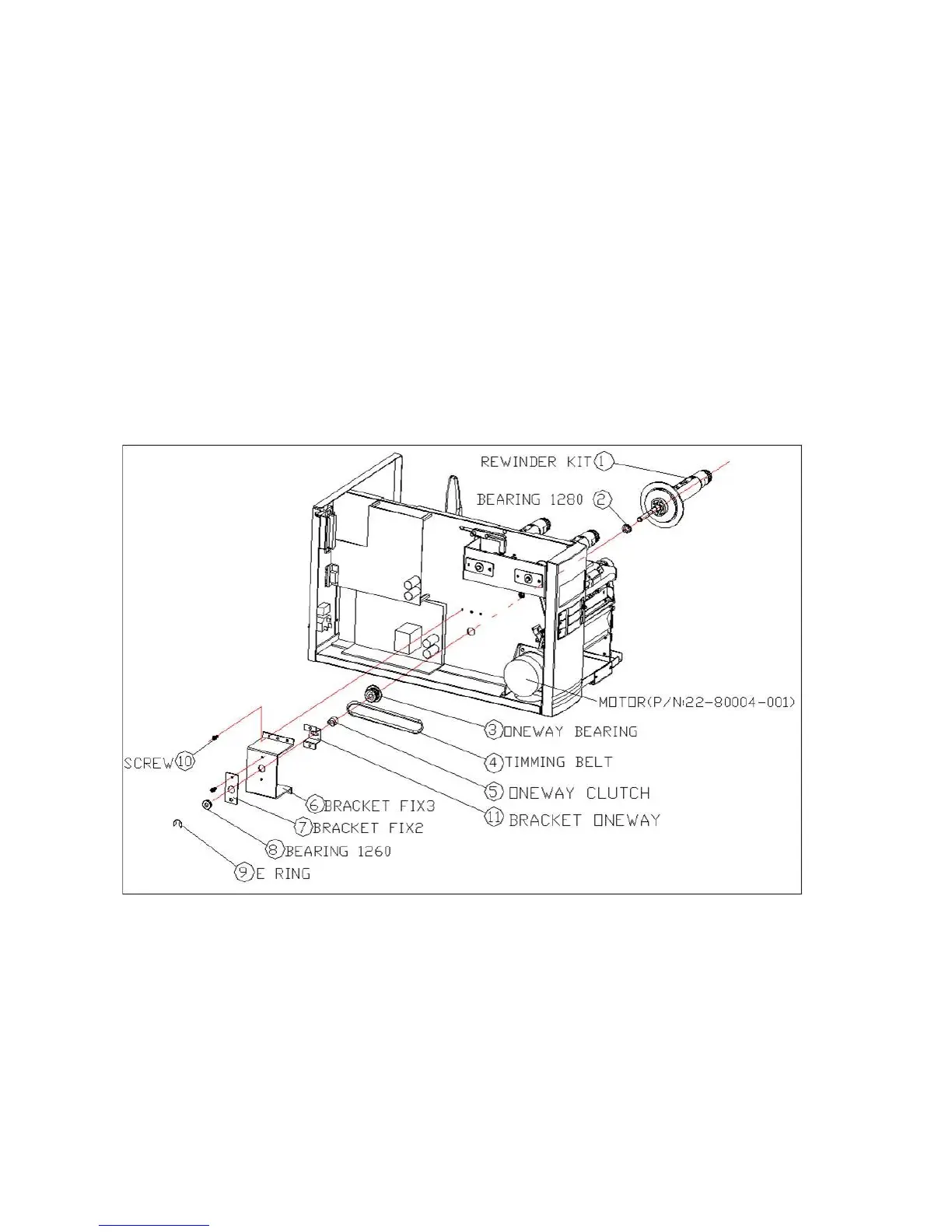
Dispenser & Rewinder Installation
Install a dispenser into the printer as follows:
1. Turn off the printer.
2. Remove the top cover on both left and right sides.
3. Assemble the related components for both left and right
sides. Check below:
4. Thread the dispenser cable through a hole and route it to
main board JP15 connector (PEELER) of X-1000VL,
X-2000V, X-2000V Zip / JP12 connector (PEELER) of
X-2300, X-2300Z, X-2300E, X-2300ZE, X-3200, X-3200Z,
X-3200E, X-3200ZE.



 To Next Page