3.2 Attaching a Charged Handset
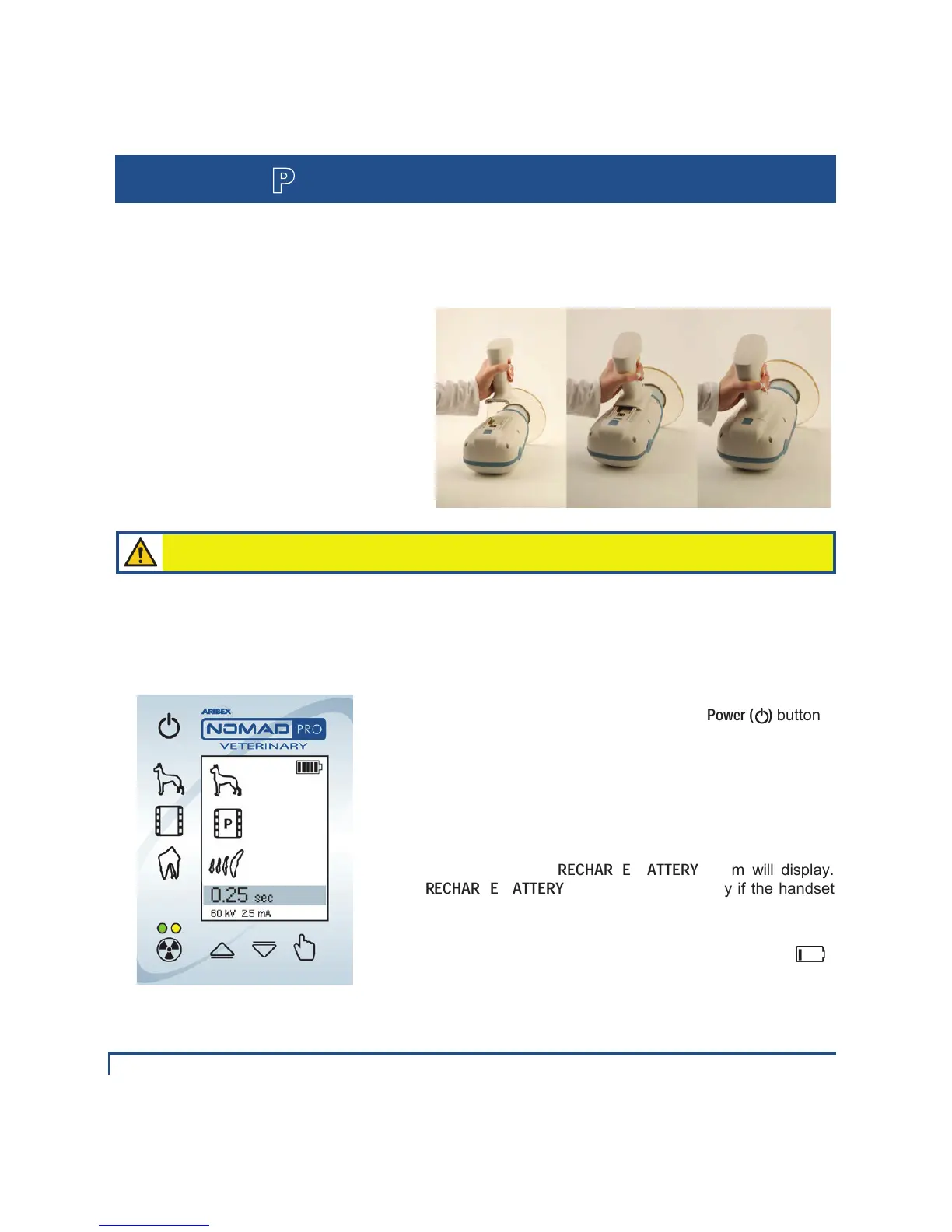
n With the NOMAD Pro placed bottom up
on a secure surface, properly orient and
carefully slide the charged handsets onto
the base of the NOMAD Pro, (a properly
oriented handset should click into place with
firm pressure).
o The clicking sound ensures the locking
mechanism has secured the NOMAD Pro to
the handset. To verify this lock apply slight
pressure in the release direction.
There are electric currents present at the handset terminals. Protect the handset from
damage; do not probe with fingers or conductive objects.
NOMAD Pro Veterinary Control Panel
After locking a handset in place press the
Power ( )
button.
o
The operation control display panel will activate with a
"battery power level" icon in the upper right corner. Five bars is
an indication of a fully charged handset.
p If the battery charge is too low, the NOMAD Pro will not
emit an
X-ray and the
RECHARGE BATTERY
(The
RECHARGE BATTERY
alarm may also display if the handset
is not fully engaged.)
q When a battery is depleted to the single bar level ( ),
Aribex recommends the handset be recharged.
r Replace a low charge handset with the secondary handset (which should be charged in advance).


 To Next Page