5.0 Handset Replacement and Care
A
RECHARGE HANDSET
alarm on the display panel indicates either the need to fully engage the handset
or the need for a replacement handset. NOMAD Pro cannot emit X-rays with a low, depleted battery
(insufficient voltage). Follow these steps to clear the
RECHARGE HANDSET
alarm.
n Verify that the handset is locked in place. If so and the alarm is still present, press and release the
Power (
)
button on the control panel to turn off NOMAD Pro
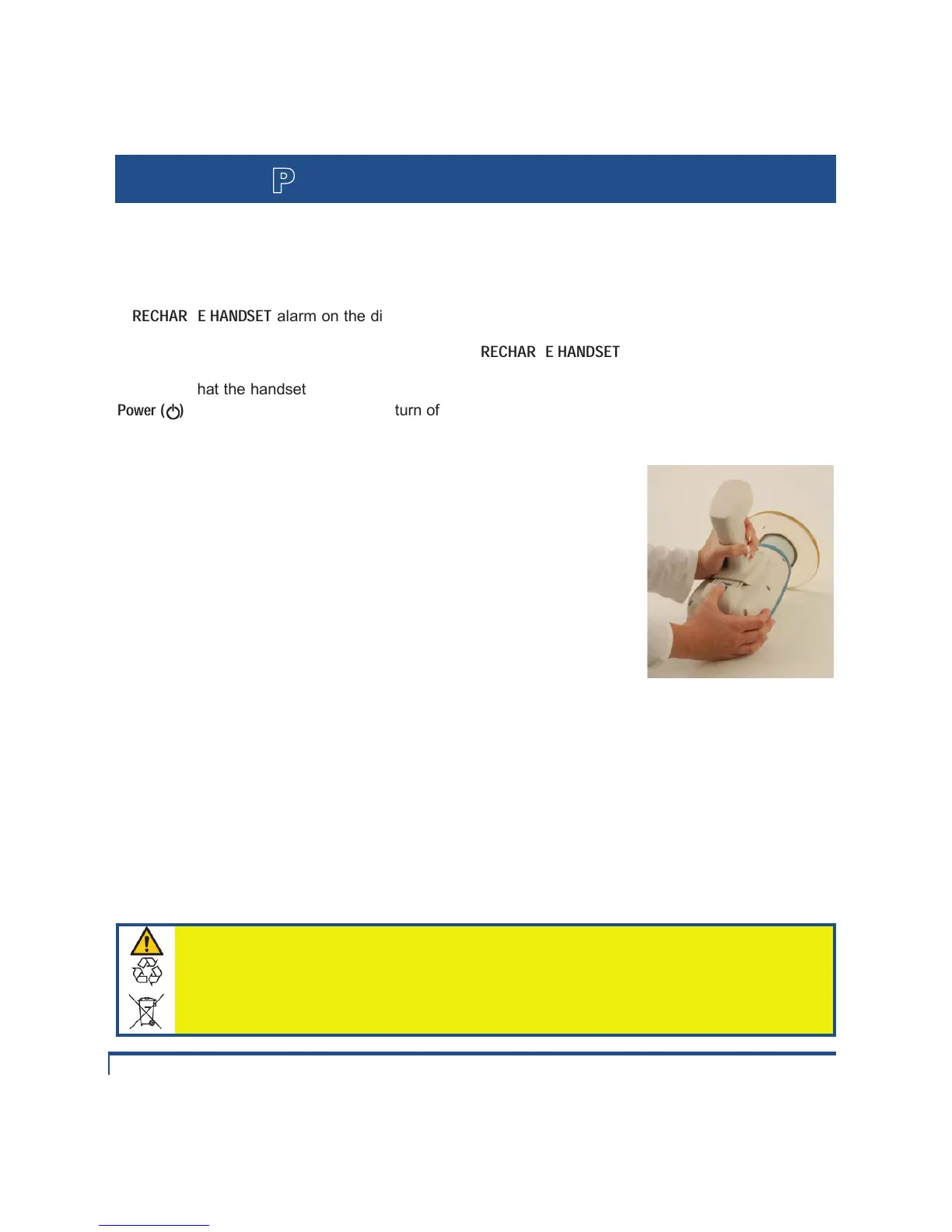
o Place the NOMAD Pro bottom up on a stable surface and depress the release button on the
housing, just behind the handset, to release it from the housing.
p Slide the Handset forward toward the backscatter shield and the
collimator cone.
q Carefully align a newly charged handset and, while avoiding possible
pinch points between the housing and the handset, slide it into place – a
properly oriented handset should snap into place without force. A clicking
sound ensures that the handset is fastened. Make sure the handset is
secure by pushing it toward the cone. When a handset is detached for
more than 60 seconds, the last exposure setting is erased (and would
have to be reset when the unit is turned on again).
IMPORTANT HANDSET CARE NOTES:
• Each handset can go through the full discharge/charge cycle approximately 300 times. Routinely
change discharged handset with fully charged one as needed.
• The handset can be left indefinitely on the charging cradle without any damaging batteries, unless
AC power to charging cradle is completely interrupted or turned off during the charge cycle.
• Battery charge will diminish during extended inactivity – fully recharge handsets every 3 months
during inactivity. Never place a low charge battery into long-term storage.
• When the charging cradle senses a bad handset battery, the indicator lights will illuminate red rather
than green. In this case, the batteries are inoperable and must be serviced.
• Handset communications and mechanical integrity are checked by pulling the handset trigger when it
is on the charging cradle – good communication exists when the indicator lights illuminating orange.
• Do not attempt to charge a handset with damaged batteries.
• Risk of fire or explosion exists if batteries inside the handset are replaced by
unauthorized service personnel; do not use batteries from other sources.
• Properly dispose of spent or damaged handset; return to Aribex or an authorized
distributor for replacement and recycling. Do not place in municipal waste stream.


 To Next Page