4.0 Operation
4.1 Power On
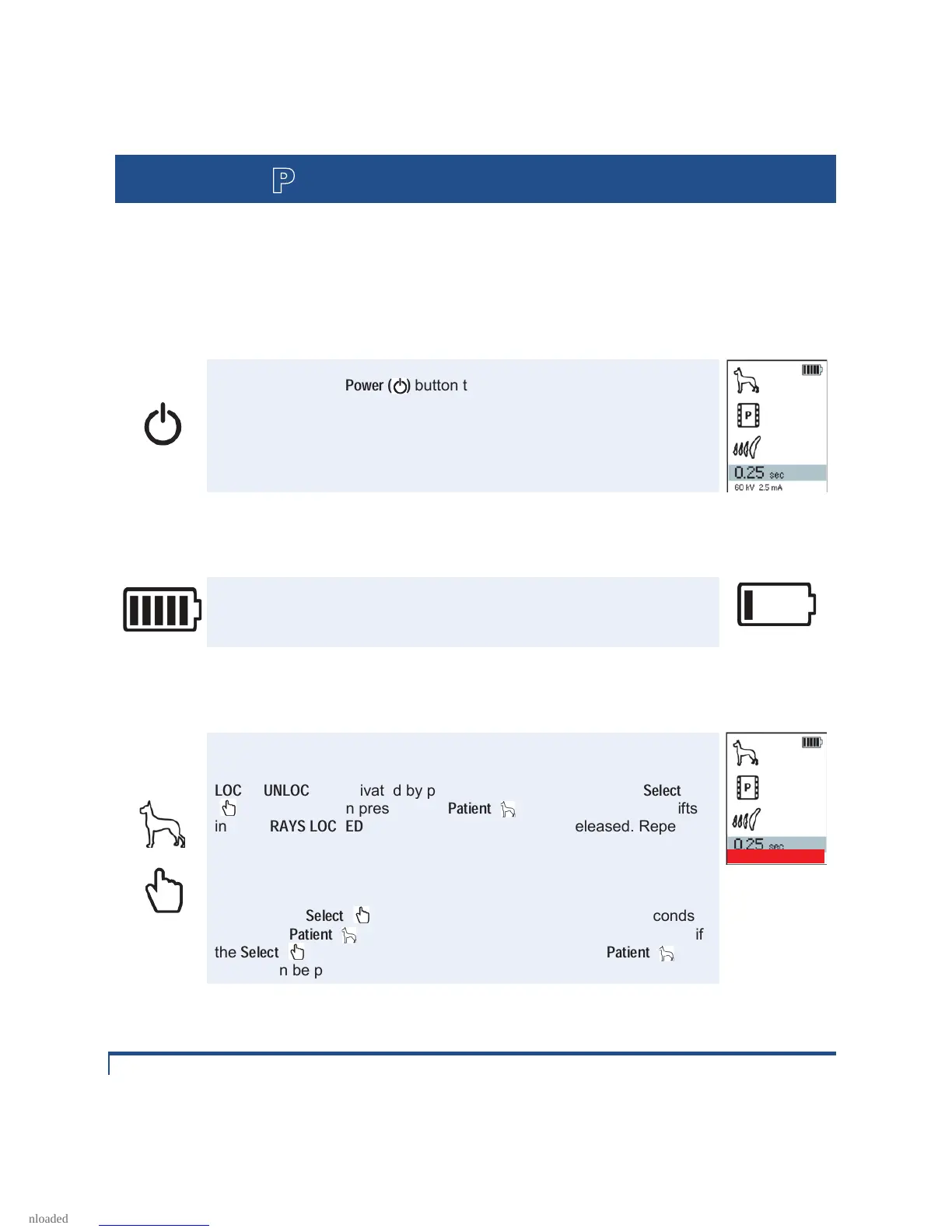
Press and release
Power ( )
button to turn on NOMAD Pro. An audible
double tone and an active display panel indicate the device has power.
Settings are redisplayed according to what was last displayed or saved
when the device was turned off (unless the device was disconnected
from a charged handset for more than 1 minute).
4.2 Ensuring Battery Charge Is Adequate
one bar, recharge the handset. (Aribex recommends that you keep one
handset fully charged at all times to ensure continuous operation.)
Low
4.3 Lock / Unlock the X-ray
The X-ray lock and unlock functionality can be toggled to prevent
unauthorized use when the NOMAD Pro is idle or stored.
LOCK
/
UNLOCK
is activated by pressing and holding down the
Select
( ) button and then pressing the
Patient
( ) button – the device shifts
into a
X-RAYS LOCKED
state and the buttons can be released. Repeat
the process to "unlock" X-rays.
For security and training purposes, the operator may easily toggle
between these setting as needed by repeating the key selection.
NOTE: If the
Select
( ) button is held down for longer than 3 seconds
before the
Patient
( ) button is pressed, the Menu mode will activate; if
the
Select
( ) button is pressed and released before the
Patient
( )
button can be pressed, the Save menu is displayed.


 To Next Page