6 Quick Start Guide: CloudVision Appliance
DNS Entries Chapter 2: Preparation
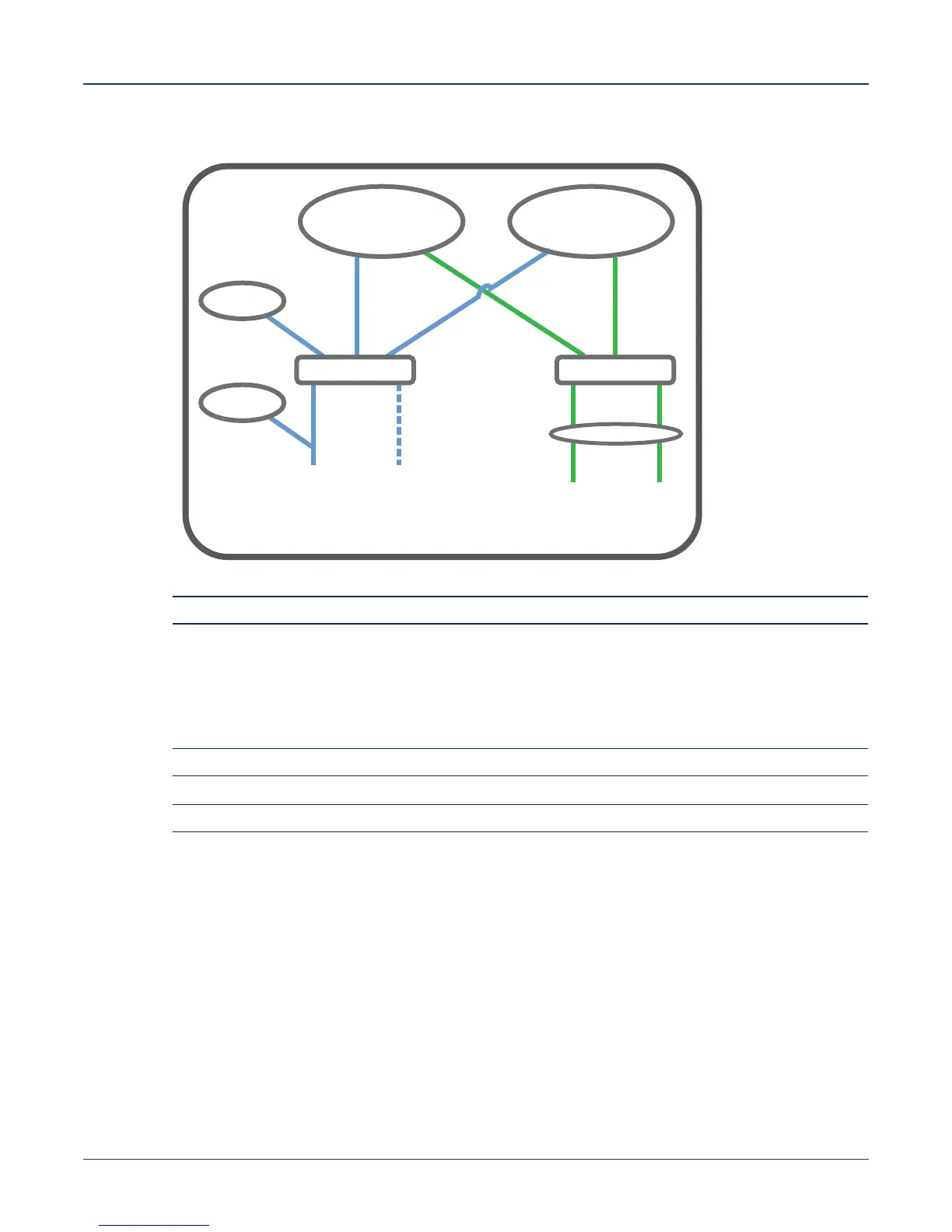
Figure 2-4: Subnet 1 and Subnet 2 Configuration
Note The iDRAC interface shares the NIC1 physical interface but has a different MAC address.
iDRAC is an Intelligent Platform Management Interface (IPMI) that provides a GUI-based out-of-band
interface for monitoring the hardware appliance. iDRAC uses NIC1 (see Figure 2-4) for its network
connectivity using a unique MAC address.
Record the IP address and Hostname information in CloudVision Worksheet (see Appendix H).
Note Subnet 1 is mandatory, but Subnet 2 and the use of Ethernet NIC3 and NIC4 are optional.
Note iDRAC may also be refereed to as Lifecycle Controller.
2.4 DNS Entries
In order to manage your CloudVision cluster, it is often easier to connect to them by hostname as
opposed to IP address. Fully qualified domain names (FQDNs) should be allocated to:
• Each of the CloudVision Appliance host machines
• Each of the CloudVision Appliance iDRAC interfaces
• Each of the CloudVision Portal (CVP) nodes
• Each of the CloudVision Server (CVX) nodes
Please contact your DNS zone administrator for assistance.
CVP
Host
Subnet 1
eth0
D Bridge
NIC1 NIC2
Active Standby
eth1
CVX
Subnet 2
Ma1
C Bridge
LACP
NIC3 NIC4
Et1
(Optional)
iDRAC



 To Next Page