4 Quick Start Guide: CloudVision Appliance
CloudVision Physical Appliance Setup Chapter 2: Preparation
2.3 CloudVision Physical Appliance Setup
You may need the following items to perform the procedures in this section:
• Key to the system key-lock
• #1 and #2 Phillips screwdriver
• Wrist grounding strap connected to ground
• Rack mount kit instructions located in the shipping box
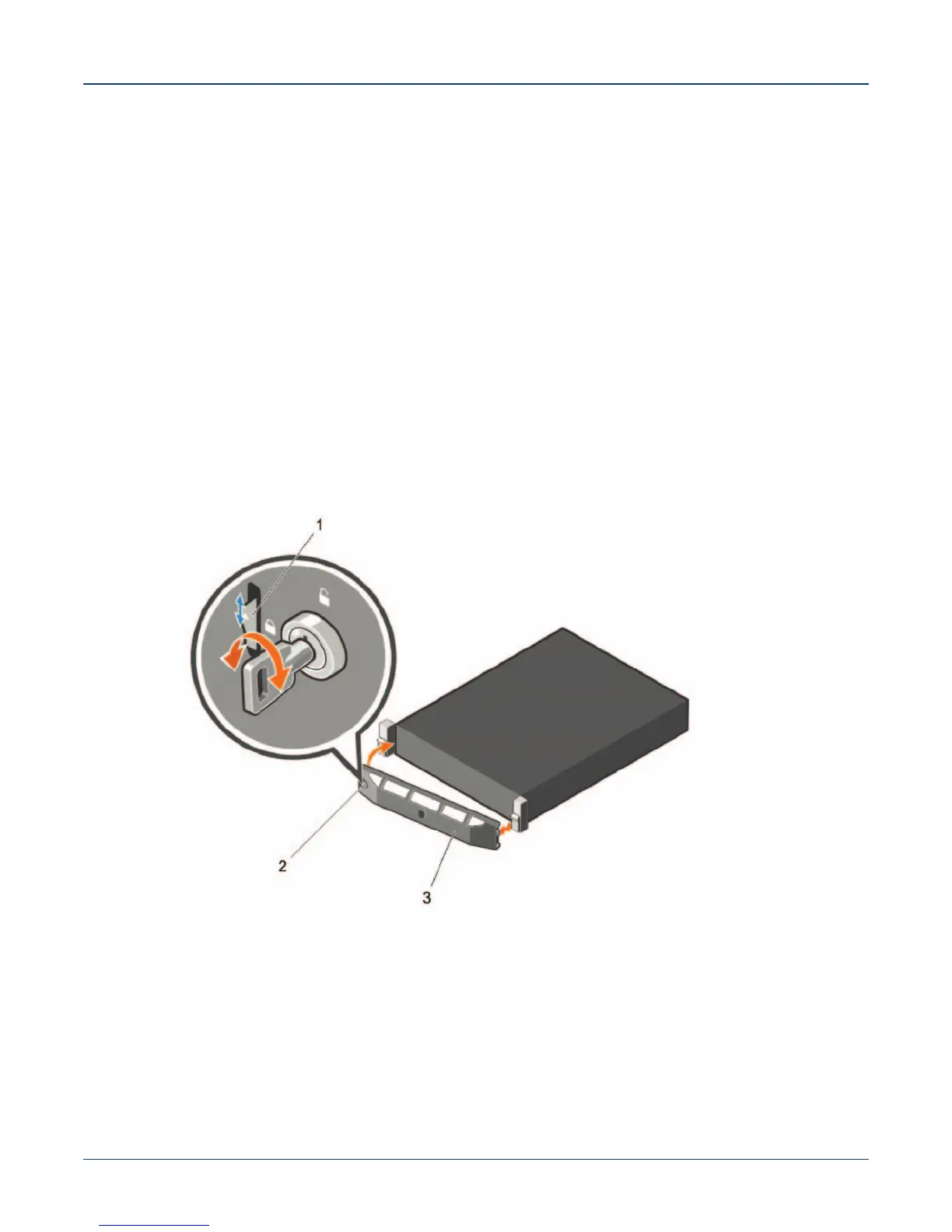
2.3.1 Front Bezel
Removing the front bezel
Step 1 Unlock the key-lock at the left end of the bezel.2.
Step 2 Lift the release latch next to the keylock.3.
Step 3 Rotate the left end of the bezel away from the front panel.4.
Step 4 Unhook the right end of the bezel and pull the bezel away from the system.
Figure 2-1: Removing and installing the front bezel
Legend
1 release latch
2 key-lock
3 front bezel



 To Next Page