Quick Start Guide: CloudVision Appliance 17
Appendix A
Status Indicators
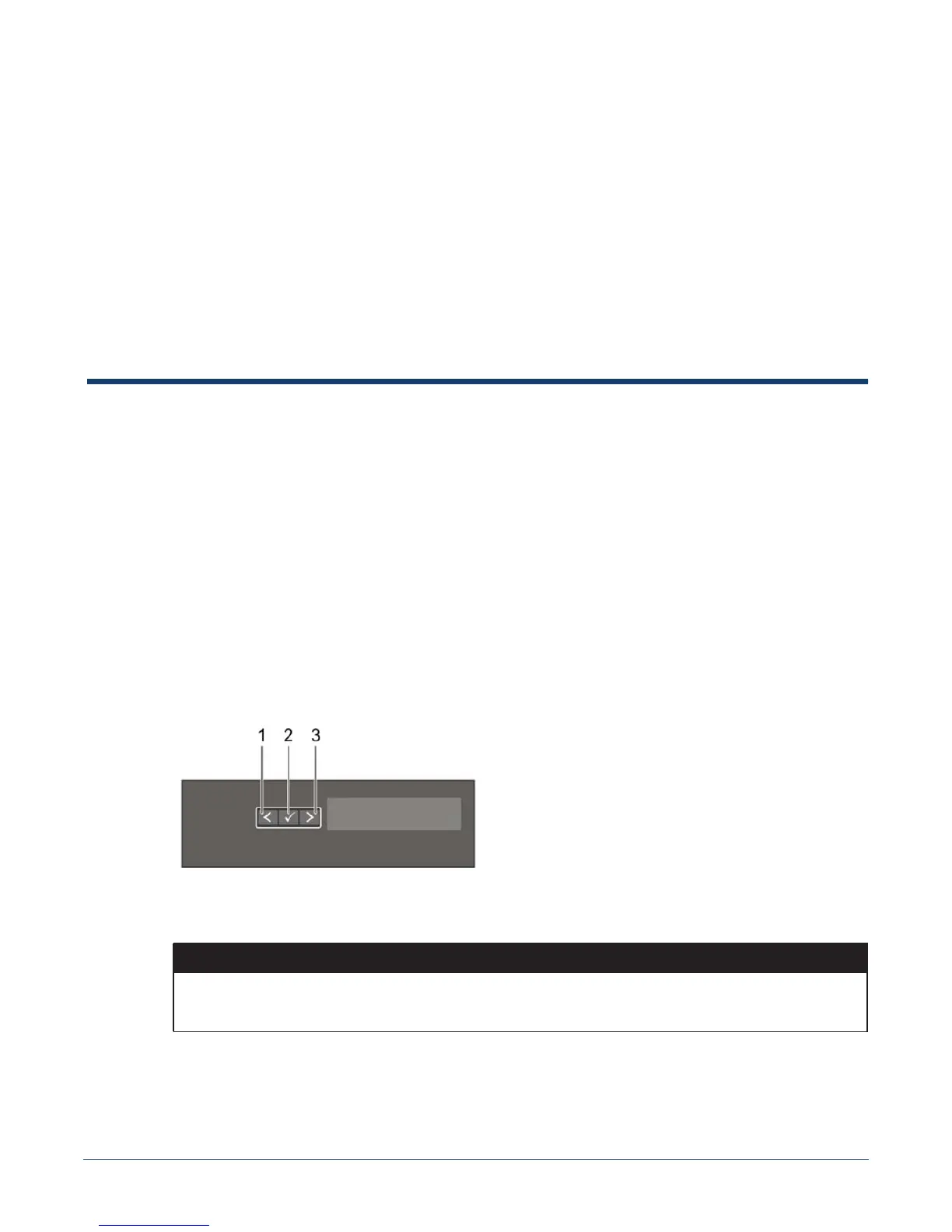
LCD panel features
The system's LCD panel provides system information and status and error messages to indicate if the
system is operating correctly or if the system needs attention.
The LCD back-light lights blue during normal operating conditions.
When the system needs attention, the LCD lights amber, and displays an error code followed by
descriptive text.NOTE: If the system is connected to a power source and an error is detected, the LCD
lights amber regardless of whether the system is turned on or off.
The LCD back-light turns OFF when the system is in standby mode and can be turned on by pressing
either the Select, Left, or Right button on the LCD panel.
The LCD back-light remains OFF if LCD messaging is turned off through the iDRAC utility, the LCD
panel, or other tools.
Figure A-1: LCD panel features
Table A-1 LCD panel features
Item Button Description
1 Left Moves the cursor back in one-step increments.
2 Select Selects the menu item highlighted by the cursor.



 To Next Page