18 Quick Start Guide: CloudVision Appliance
Power Supply Status Indicators Appendix A: Status Indicators
A.1 Power Supply Status Indicators
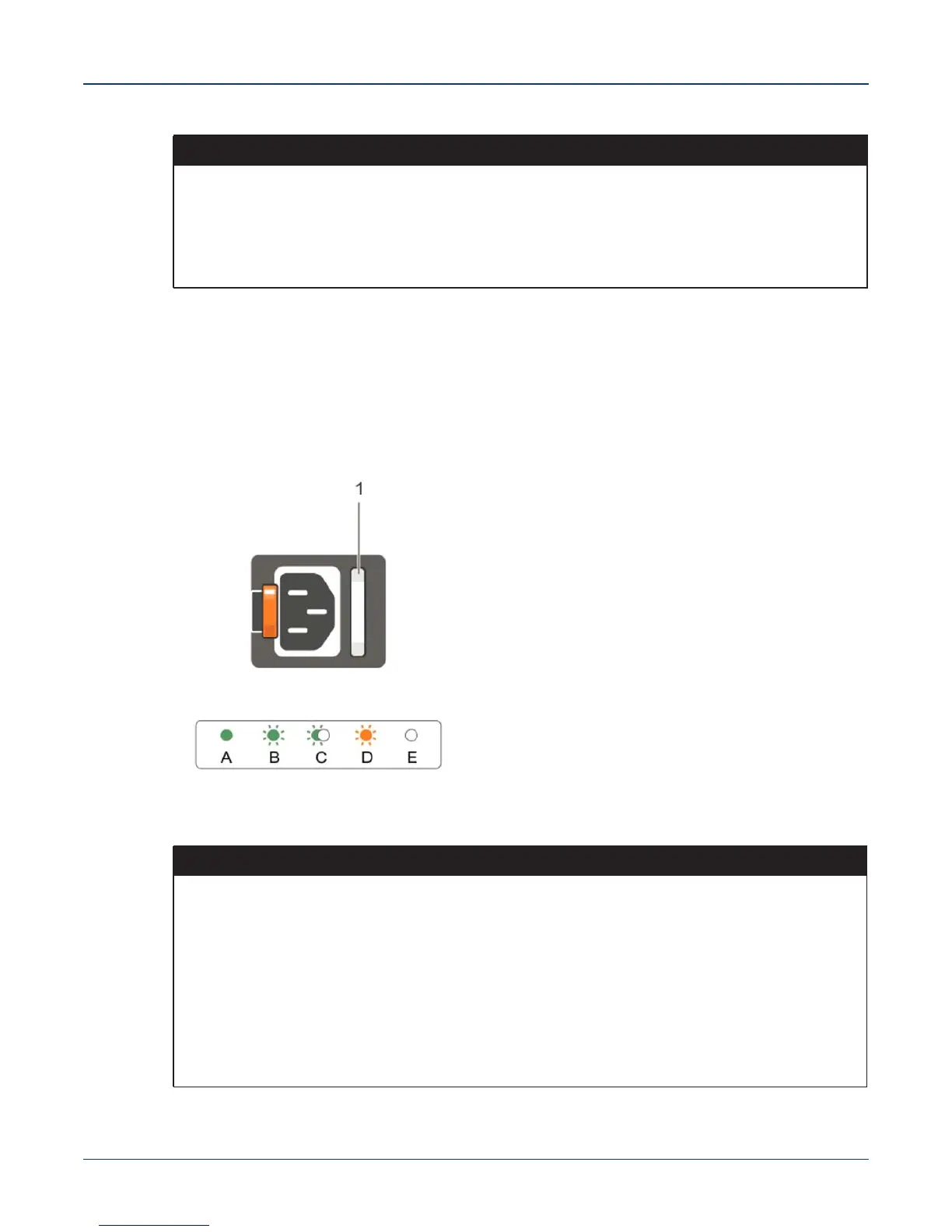
AC Power Supply
Each AC power supply has an illuminated translucent handle that indicates whether power is present
or whether a power fault has occurred.
Figure A-2: AC power supply LED status
3 Right Moves the cursor forward in one-step increments.
During message scrolling:
• Press once to increase scrolling speed
• Press again to return to the default scrolling speed
• Press again to repeat the cycle
• Press again to stop
Table A-1 LCD panel features (Continued)
Item Button Description
Table A-2 Power Supply Status
OK LED Status
Green A valid power source is connected to the power supply and the power
supply is operational.
Flashing green When updating the firmware of the power supply unit is being updated,
the power supply handle flashes green.
Flashing green and turns off When hot-adding a power supply, the power supply handle flashes green
five times at 4 Hz rate and turns off. This indicates that there is a power
supply mismatch with respect to efficiency, feature set, health status, and
supported voltage. Replace the power supply with a power supply that
matches the capacity of the other power supply.
Flashing amber Indicates a problem with the power supply.



 To Next Page