26
<*)'
'*,
/6 <')
d.`'3G^
*)51
<'JP
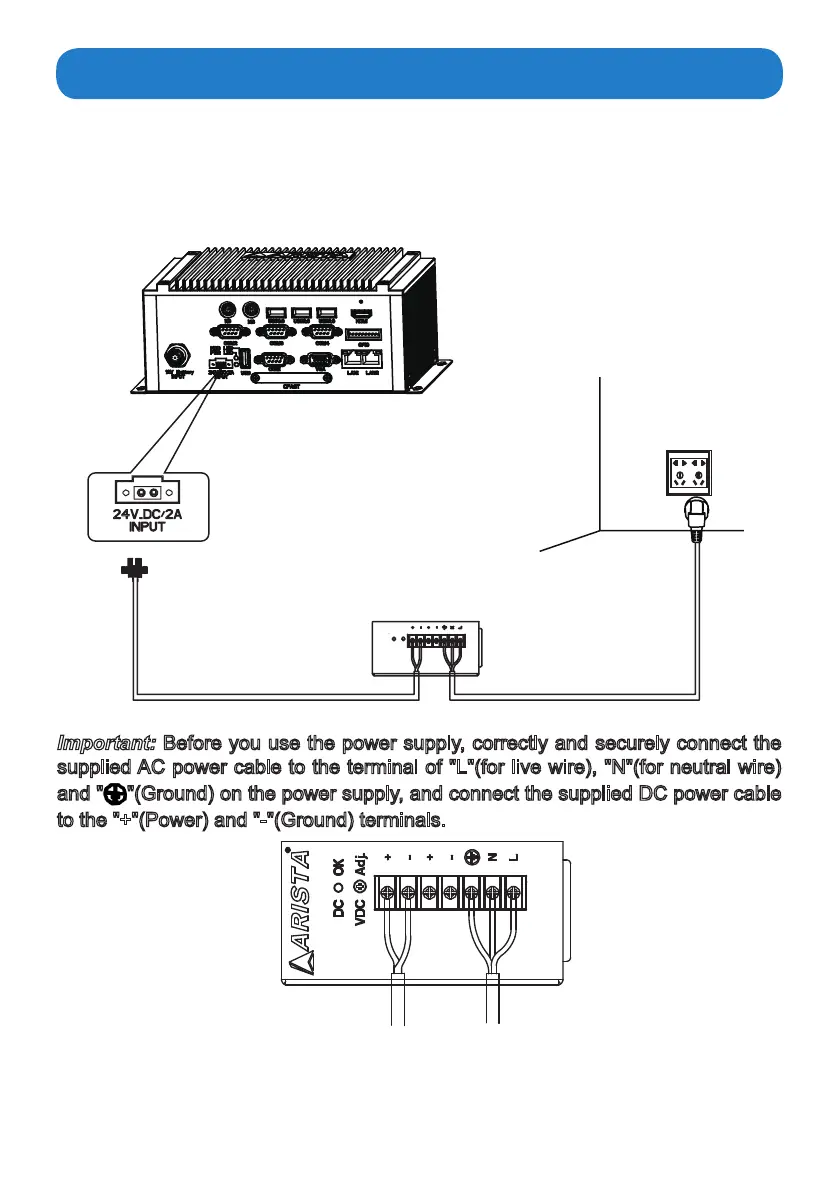
72W DIN-Rail Power
supply(supplied)
Connecting the power supply
AC outlet
Follow the steps below to connect the power supply.
•
Connect one end of the 72W DIN-Rail AC/DC power supply to the DC-in(24V) power
connector of the MicroBox-7824B E-Series fanless industrial microbox computer. Connect the
other end of 72W DIN-Rail AC/DC power supply to an AC outlet.Connect Power and Cable:
8
Important:
Before you use the power supply, correctly and securely connect the
supplied AC power cable to the terminal of "L"(for live wire), "N"(for neutral wire)
and " "(Ground) on the power supply, and connect the supplied DC power cable
to the "+"(Power) and "-"(Ground) terminals.
AC power cable
(supplied)
DC power cable
(supplied)
To AC power cableTo DC power cable
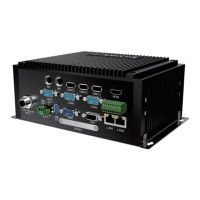
MicroBox-7824B-E01


 To Next Page