23
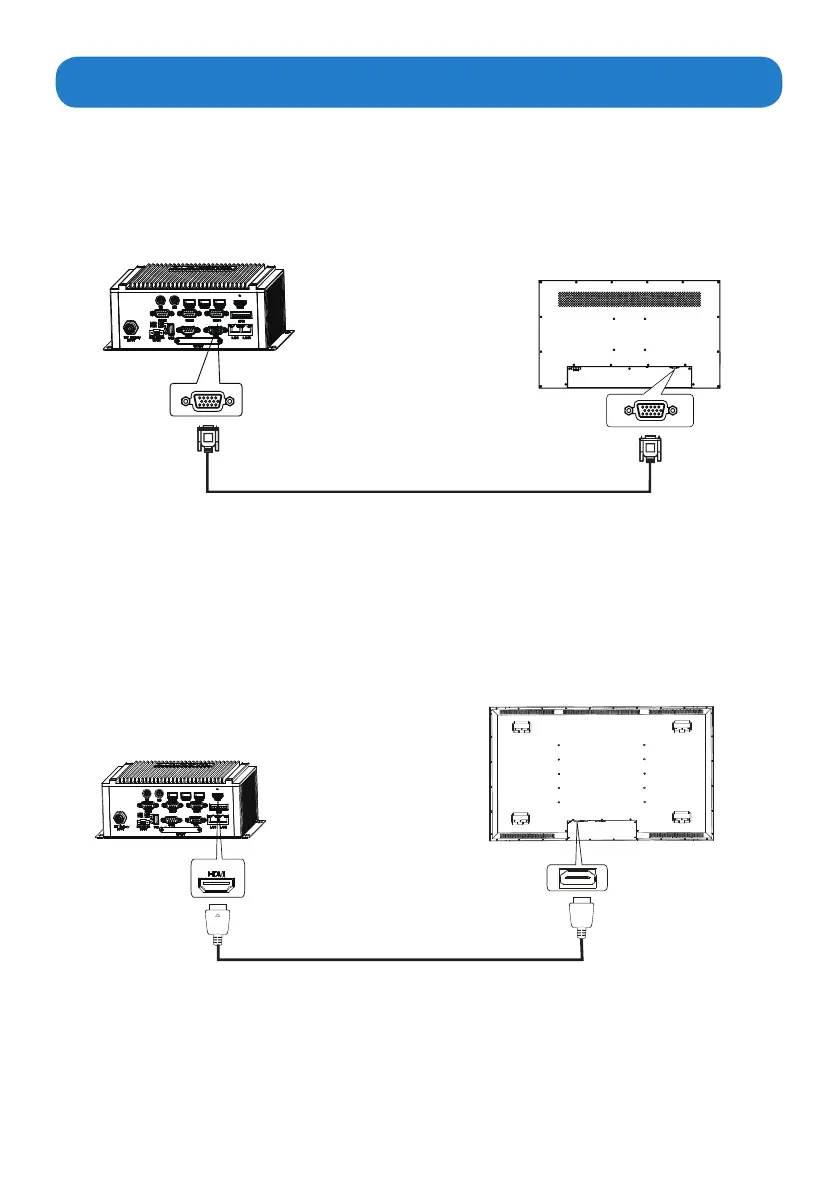
Connecting to a display
MicroBox-7824B-E01
MicroBox-7824B-E01
VGA port
HDMI port
Display
Display
VGA port
HDMI port
VGA cable(not supplied)
HDMI cable(not supplied)
• Connect one end of the VGA cable to the VGA port of the MicroBox-7824B E-Series
fanless industrial microbox computer. Connect the other end of the VGA cable to the
VGA port of a display.
• Connect one end of the HDMI cable to the HDMI port of the MicroBox-7824B E-Series
fanless industrial microbox computer. Connect the other end of the HDMI cable to the
HDMI port of a display.
1. Connecting to a display through VGA port
2. Connecting to a display through HDMI port


 To Next Page