22
Step3.
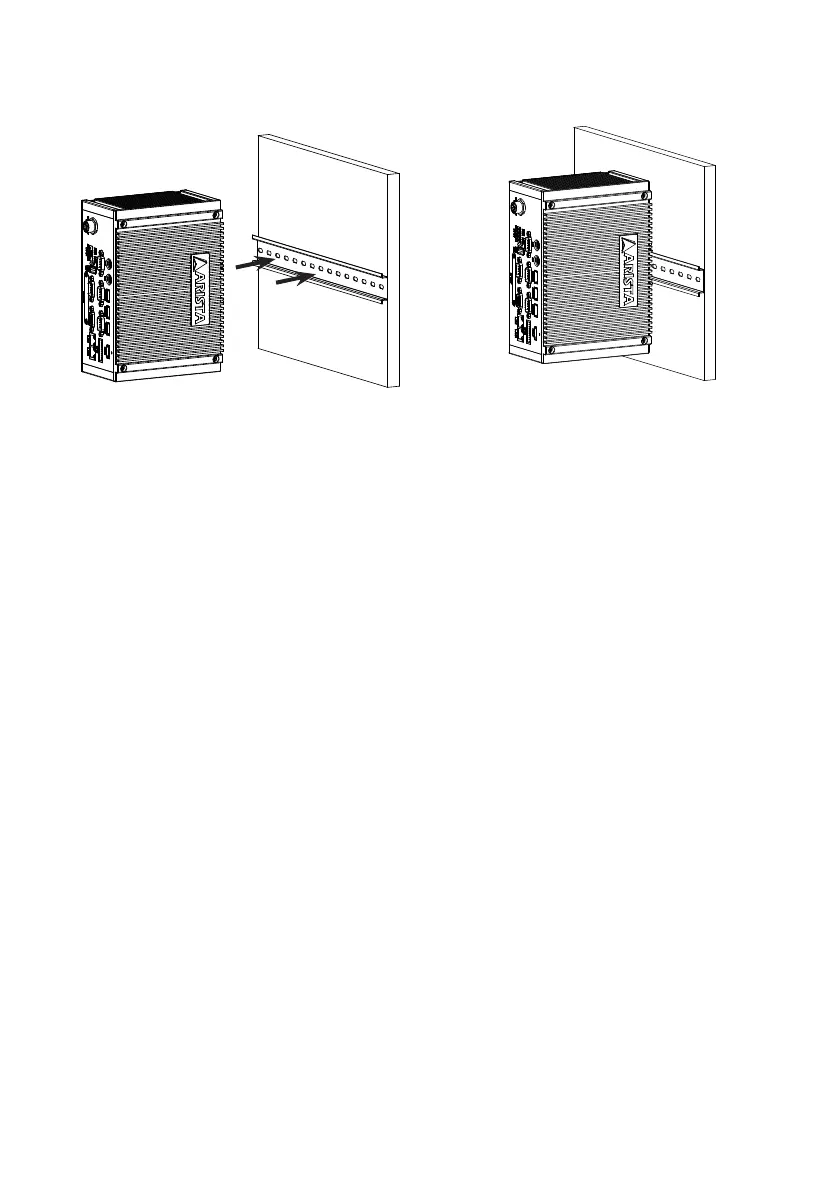
Snap the metal clasp onto the Din-rail to mount the MicroBox-7824B E-Series
microbox computer onto the wall or board.
Step4.
You can also slide the metal clasp around the Din-rail to move the computer to a
desired position.
• To remove the MicroBox-7824B E-Series industrial microbox computer from Din-rail,
press down the two iron loop springs built-in the metal clasp down on the rail to loose it,
then remove the MicroBox-7824B E-Series from the rail.


 To Next Page