21
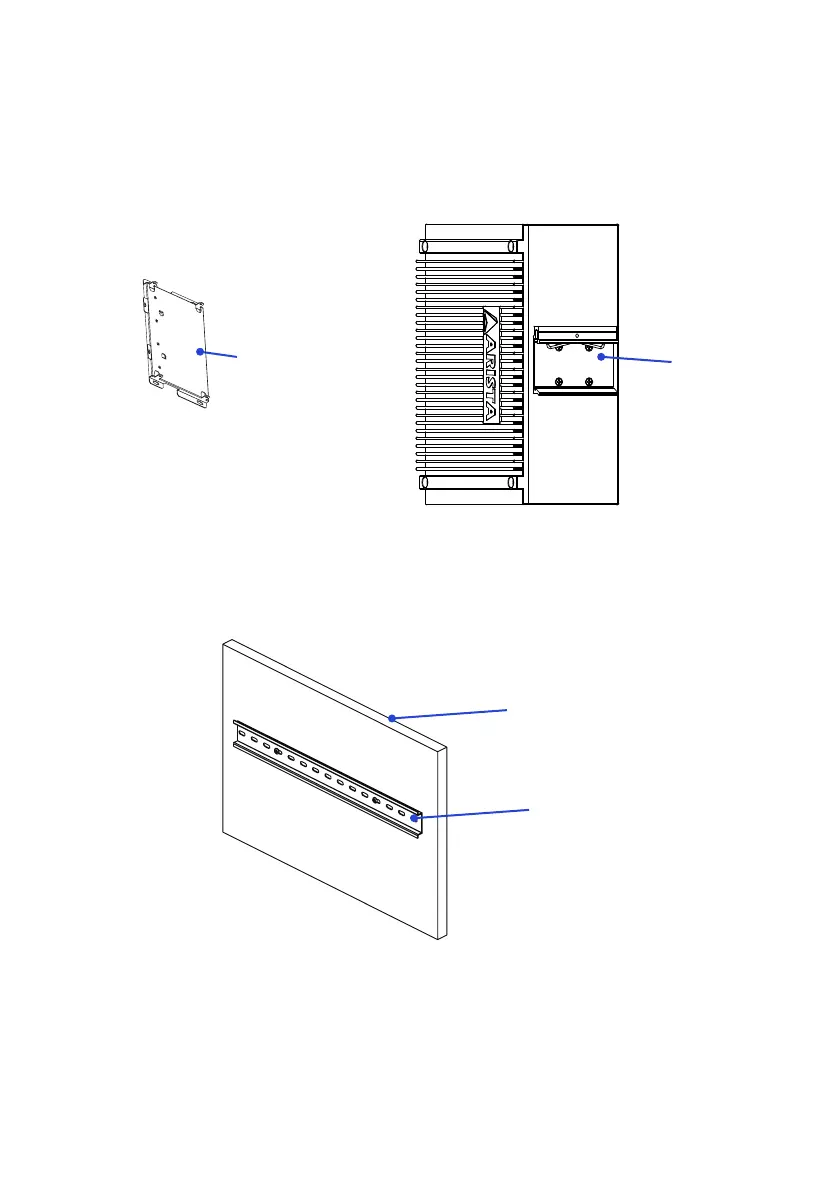
2. DIN-Rail mounting
Please follow the steps as shown below to mount the industrial computer via DIN-
Rail.
Metal claspMetal clasp
Step1.
Place the metal clasp on the back of the MicroBox-7824B E-Series microbox
computer, and screw it in using “#6-32UNC” sized screws.
Step2.
Place one Din-Rail on the wall or board, and use a screwdriver to tighten the
screwstoaxtheDin-Railontothewallorboard.
Wall or board
Din-Rail



 To Next Page