
 Need help?
Do you have a question about the Arista MicroBox-7824B-E01 and is the answer not in the manual?
Overview of the Arista MicroBox-7824B E-Series fanless industrial computer.
Key features and specifications of the MicroBox-7824B E-Series industrial computer.
Detailed technical specifications for the MicroBox-7824B E-Series computer.
Instructions and visual guide for unpacking the MicroBox-7824B E-Series computer and its accessories.
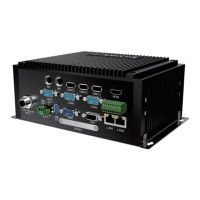
Visual identification of the MicroBox-7824B-E01 computer's external views and ports.
Detailed breakdown of the input/output ports and LED indicators on the MicroBox-7824B E-Series.
Diagrams and measurements detailing the physical size of the MicroBox-7824B-E01.
Illustrates the front panel connectors for both MicroBox-7824B-E01 and E02 models.
Detailed pin definitions for serial ports COM1-COM4 in RS-232 and RS-422/RS-485 modes.
Pin assignment and definitions for the VGA port on the MicroBox-7824B E-Series.
Pin definitions and configuration options for the GPIO port on the MicroBox-7824B-E01.
Pin configuration for the 24V DC-IN power connector, including polarity variations.
Step-by-step guide for securely mounting the MicroBox-7824B E-Series computer onto a wall or board.
Instructions for mounting the MicroBox-7824B E-Series computer using a DIN-rail system.
Procedures for connecting displays via VGA and HDMI ports on the MicroBox-7824B E-Series.
How to connect touch screens, keyboards, and mice to the MicroBox-7824B E-Series.
Steps to connect the MicroBox-7824B E-Series computer to a network using an RJ45 LAN cable.
How to connect the 72W DIN-Rail AC/DC power supply to the MicroBox-7824B E-Series.
Guide on connecting an external battery for power backup on the MicroBox-7824B-E01.
Steps for installing a DDR3 SO-DIMM memory module into the MicroBox-7824B E-Series.
Procedure for installing PCIE expansion cards like Wi-Fi LAN cards into the MINI-PCIE slot.
How to reset CMOS data to factory defaults using the Clear CMOS jumper.
Overview of the BIOS Setup Utility and its purpose for configuring system parameters.
Instructions on how to access, navigate, and interact with options within the BIOS Setup Utility.
Table listing the keyboard keys and their functions for navigating the BIOS setup menus.
Description of the BIOS Main Menu, including system overview and clock setting.
Details on accessing and configuring advanced system settings within the BIOS.
Configuration options for ACPI Sleep State and UPS Function within the BIOS.
Configuration for Super IO chip, including serial port settings and parameters.
Settings to configure system wake-up events based on Real-Time Clock alarms.
Information and settings related to the CPU, including speed and virtualization technology.
Configuration for SATA controllers, ports, and CFast card settings.
Option to select the operating system installed on the computer.
Settings for USB support, including Legacy USB support and Mass Storage Devices.
Settings related to the Host Bridge, South Bridge, and North Bridge chipsets.
Configuration options for the North Bridge, including LCD control and memory information.
Settings for primary and secondary display output, LCD panel type, and VGA output selection.
Settings for South Bridge components like Azalia HD Audio, Onboard LAN, and PCI Express Wakeup.
Options for setting Administrator and User passwords to secure system access and boot.
Configuration options for system boot order, Num-lock state, and boot sequence.
Options for saving changes, discarding changes, restoring defaults, and exiting the BIOS setup utility.
Guidelines for regular maintenance, cleaning, and proper handling of the MicroBox-7824B E-Series computer.
Details of warranty coverage, RMA procedures, transportation policy, and liability limitations.
Guidelines for proper disposal and recycling of the industrial microbox computer at the end of its life cycle.
Legal notices regarding manual content, copyright, and vendor liability.
 General
| Product Type | Industrial PC |
|---|---|
| Model | 7824B-E01 |
| USB Ports | 4 x USB 3.0 |
| Serial Ports | 2 x RS-232/422/485 |
| Operating Temperature | -20°C to 60°C |
| Memory | Up to 32GB DDR4 |
| Storage | 1 x 2.5" SATA SSD/HDD |
| Operating System | Windows 10 IoT Enterprise, Linux |
| Ethernet Ports | 4 x 10/100/1000 Mbps |

 To Next Page