45
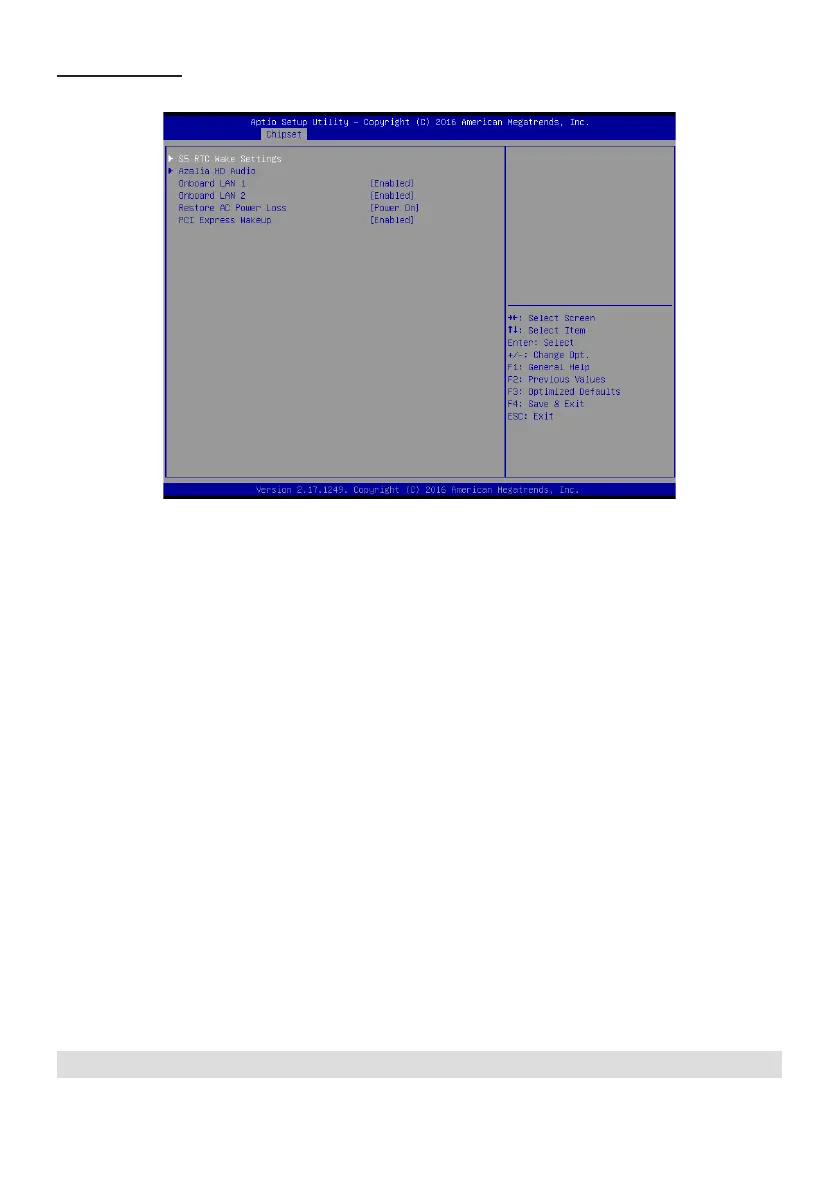
South Bridge
Scroll to this item and press <Enter> to view the following screen:
Azalia HD Audio
USB Conguration
Use this option to control detection of the Azalia device.
Azalia controller(Enabled)
Disabled: Azalia will be unconditionally disabled.
Enabled: Azalia will be unconditionally enabled.
Auto: Azalia will enabled if present disabled otherwise.
Use this option to congure USB settings.
XHCI Mode(Auto)
This item allows you to select the mode of operation of xHCI controller.
Press <Esc> to return to the Chipset Menu screen.
Onboard LAN1/LAN2(Enabled)
Restore AC Power Loss(Power on)
PCI Express Wakeup(Enabled)
This item allows you to enable or disable the onboard LAN1 or LAN2.
This item allows you to select AC power state when power is re-applied after a power failure.
This item allows you to enable or disable PCI Express Wakeup feature.


 To Next Page