33
Entering the Setup
When you power on the system, BIOS enters the Power-On Self Test (POST) routines. POST is a series
of built-in diagnostics performed by the BIOS. After the POST routines are completed, the following
message appears:
Press the
Delete key
to access BIOS Setup Utility.
Resetting the default CMOS values
When powering on for the rst time, the POST screen may show a “CMOS Settings Wrong” message. This
standard message will appear following a clear CMOS data at factory by the manufacturer. You simply need
to Load Default Settings to reset the default CMOS values.
Note: Changes to system hardware such as dierent CPU, memories, etc. may also trigger this message.
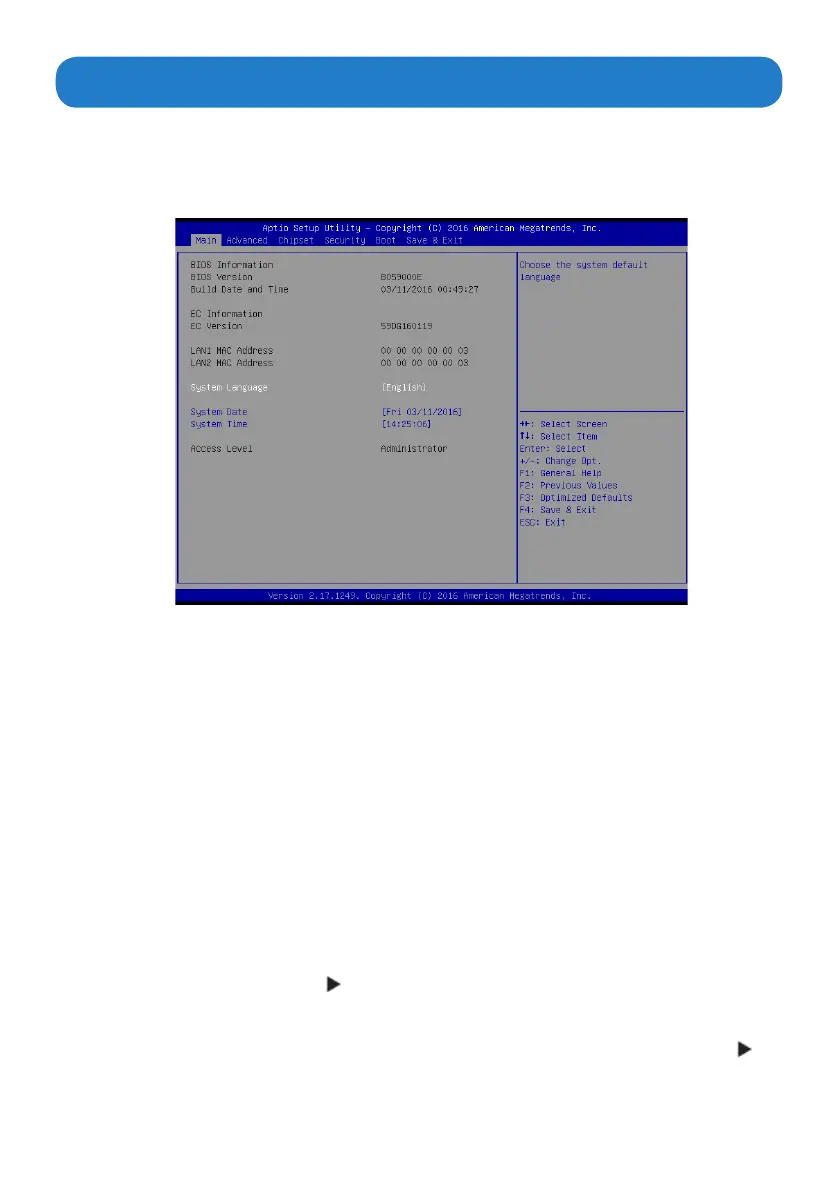
When you start the Setup Utility, the main menu appears. The main menu of the Setup Utility displays a list of
options that are available. A highlight indicates which option is currently selected. Use the cursor arrow keys
to move the highlight to other options. When an option is highlighted, execute the option by pressing <Enter>.
Some options lead to pop-up dialog boxes that prompt you to verify that you wish to execute that option.
Other options lead to dialog boxes that prompt you for information.
Some options (marked with a triangle ) lead to submenus that enable you to change the values for the
option. Use the cursor arrow keys to scroll through the items in the submenu.
In this manual, default values are enclosed in parenthesis. Submenu items are denoted by a triangle .
Using BIOS


 To Next Page