35
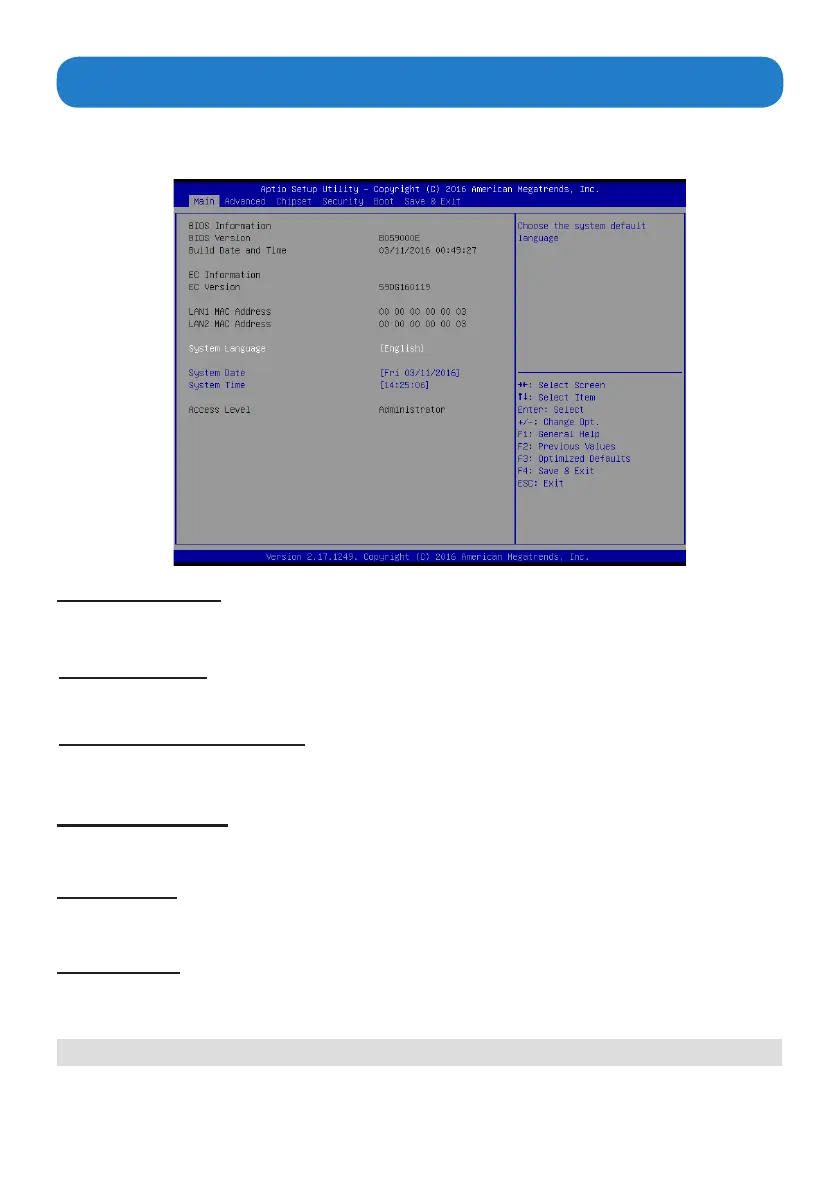
Main Menu
BIOS Information
System Language
This item shows the current BIOS information, including BIOS Version, Build date and time.
This item allows you to choose the system default language.
EC Information
When you enter the BIOS SETUP UTILITY, the Main menu will appear and display the system overview.
You can set the system clock in this main menu.
This item shows the current EC information, including EC Version.
System Date
Use this item to specify the system date. Manually enter the day, month and year.
System Time
Use this item to specify the system time. Manually enter the hours, minutes and seconds.
Press <Esc> to return to the Main Menu screen.
LAN1/LAN2 MAC Address
Use this item to view the LAN1/LAN2 Mac address.



 To Next Page