44
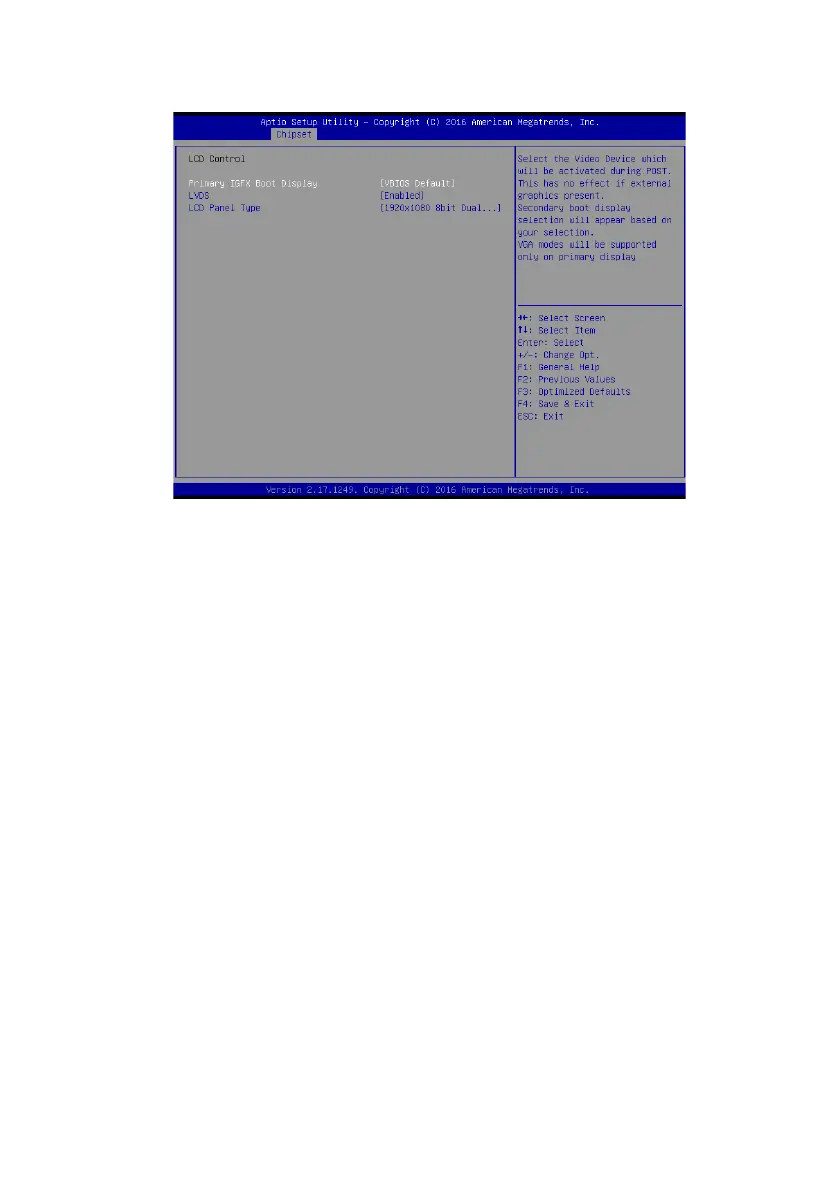
LCD Control
Scroll to this item and press <Enter> to view the following screen:
Primary IGFx Boot display (VBIOS Default)
Secondary IGFx Boot display(LVDS)
Select the video device which will be activated during POST. This has no eect if external graphics present.
Secondary boot display selection will appear based on your selection. VGA modes will be supported only
on primary display.
Select the secondary IGFx video device.
LCD Panel Type(1920 x 1080 8 bit Dual LVDS)
This option is used to choose the resolution of the Flat Panel.
LVDS(Enabled)
Use this item to enable or disable the LVDS video signal output.
VGA Output Select(Forced)
This option is used to choose VGA signal output, the available options are Forced and Auto.


 To Next Page