40
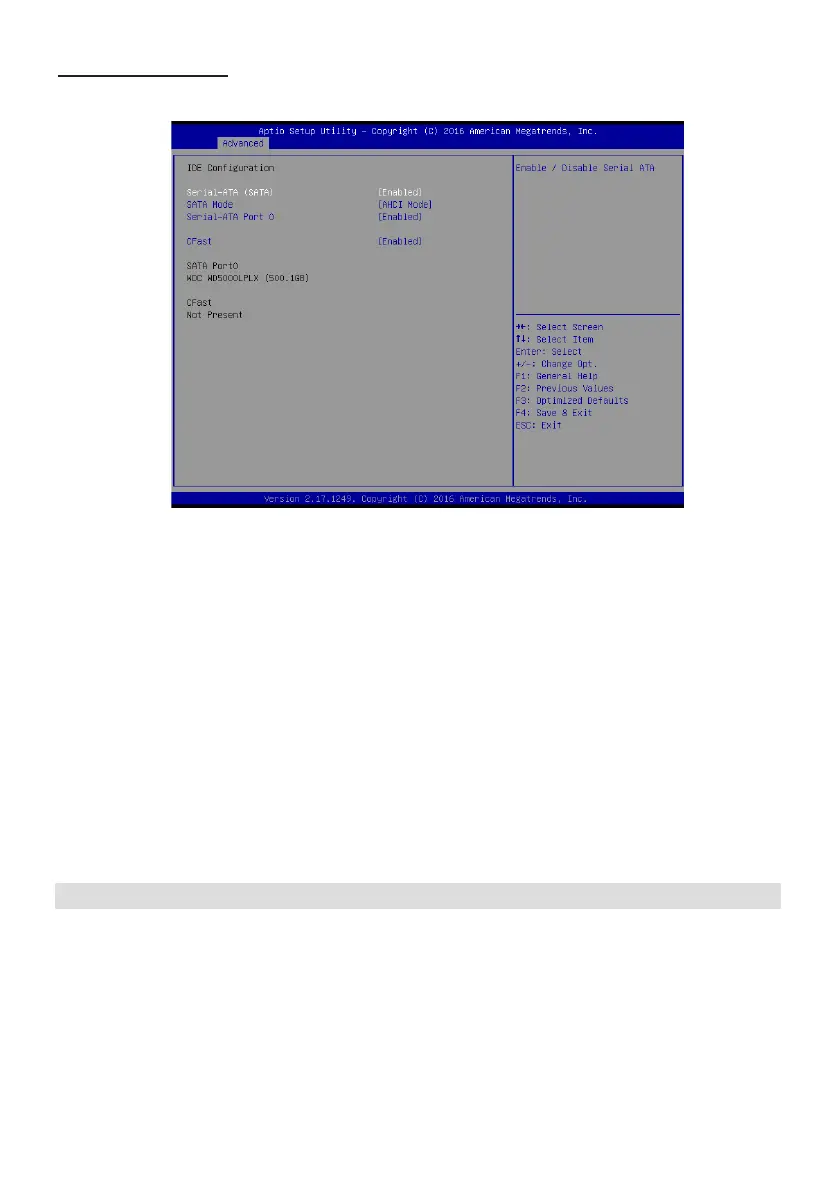
IDE Conguration
Scroll to this item and press <Enter> to view the following screen:
SATA Controllers (Enabled)
Use this option to enable or disable the use of SATA devices.
SATA Mode (AHCI mode)
Use this option to congure SATA devices as normal IDE devices. The options are IDE and AHCI.
SATA Port 0 (Enabled)
Use this item to enable or disable onboard IDE controller. The default value is [Enabled].
CFast card(Enabled)
Use this item to enable or disable the use of CFast card. The default value is [Enabled].
SATA Port1~2 dynamically detect whether there are SATA devices on motherboard. If devices are
connected with the corresponding ports, then it will display the SATA device type. Otherwise, it will
display “Not Present”.
Press <Esc> to return to the Advanced Menu screen.


 To Next Page