1508685 Rev D CHP Max Element Management Modules CHP-CMM, CMM-1, SMM, and SMM-1 6-31
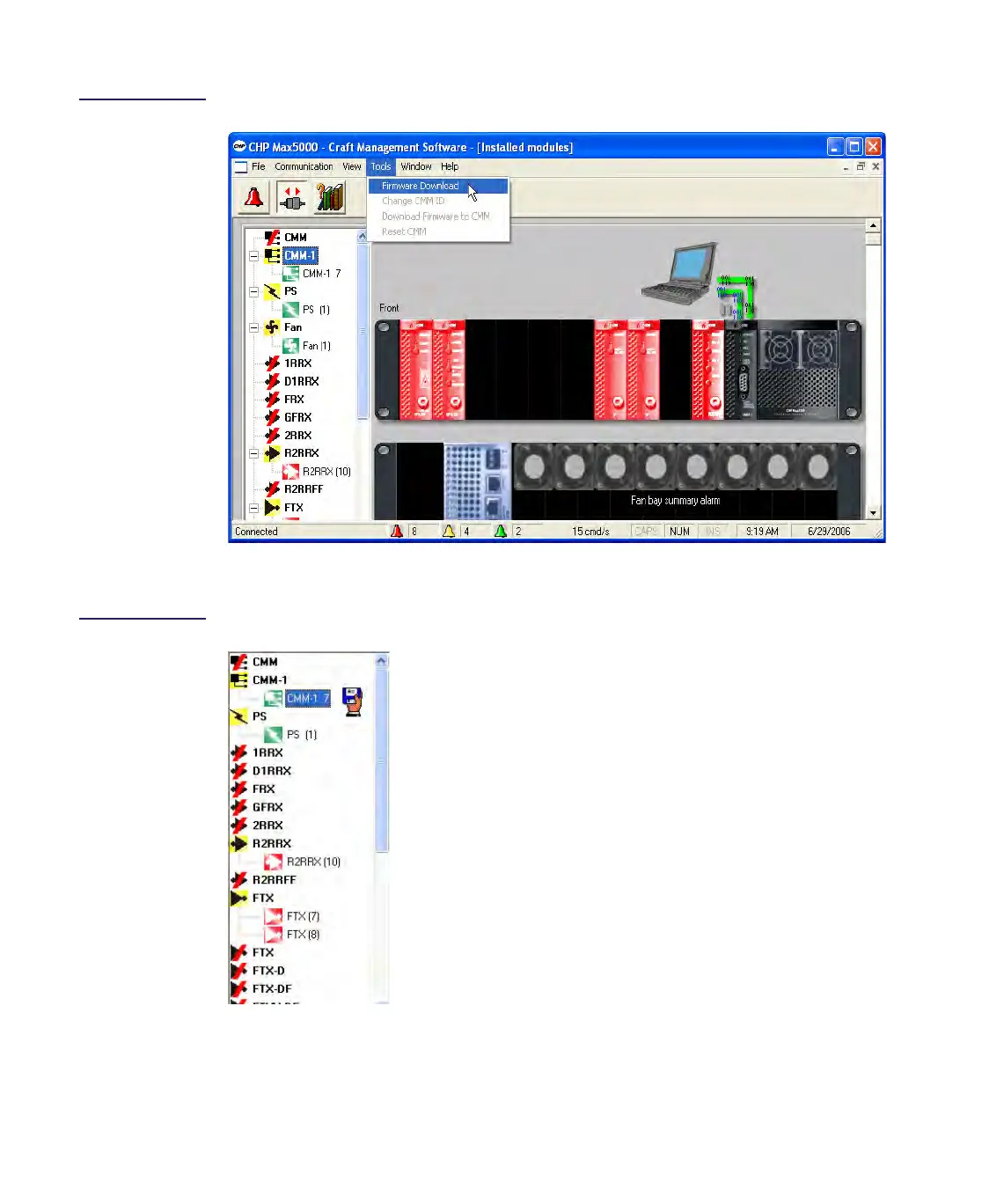
Figure 6.20
Firmware Download
Method 1
9. Double-click the module that is to receive the firmware update.
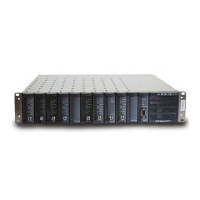
Figure 6.21
Module Selection
10. Navigate through the Open dialog box to where the module’s firmware file (.hex
extension) is located.
New firmware is downloaded to the
highlighted module. The number following
CMM-1 represents the CMM address.


 To Next Page