7-14 CHP Max™ Headend Optics Platform Chassis, Controllers and Power Supplies Rev D
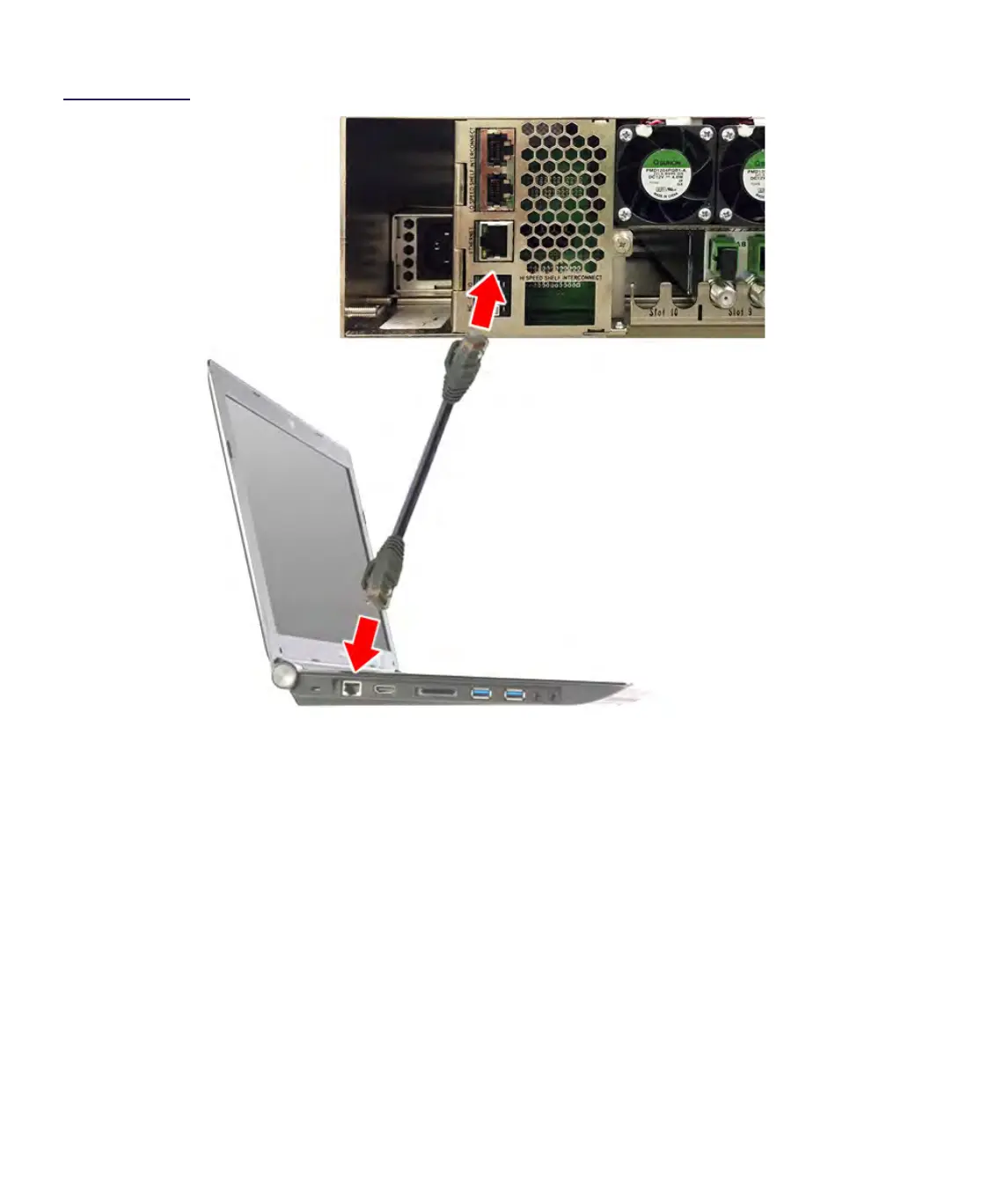
Figure 7.5
Laptop Computer to
CHP Chassis
Ethernet Connection
3. Open a Command Prompt window and type telnet 192.168.1.1, then press the
Enter key.
4. At the login prompt, type admin, then press the Enter key.
5. At the password prompt, type admin, then press the Enter key.
To set the network information, proceed as follows:
1. 1. After login, at the admin@192.168.1.1> prompt, type configure and press the
Enter key.
2. At the admin@192.168.1.1% prompt, type set interfaces and press the <TAB> or
<SPACE> followed by ?
3. to view all the parts of the IPv4 address command:
eth0 sets the IPv4 address
mask sets the IP subnet mask
gateway sets the default gateway


 To Next Page