Introduction
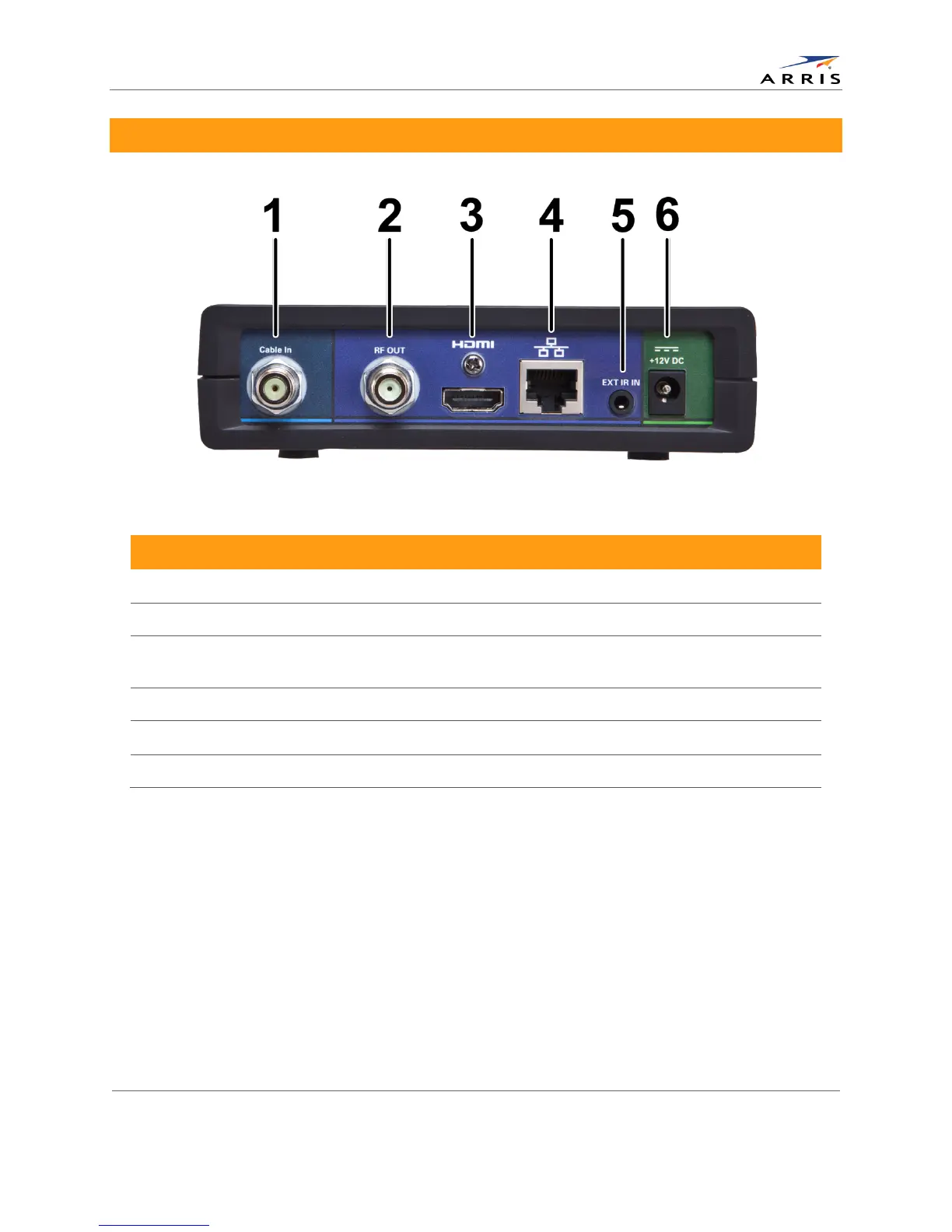
Rear Panel
Cable In — Connects to cable signal from the service provider
RF Out — Ch 3/4 modulated audio/video (SDTV) to TV or VCR
3 HDMI™ — High-Definition TV (HDTV) connector (Provides Dolby® Digital Plus (7.1) audio, Dolby®
Digital 5.1 audio or PCM output, volume controlled)
Ethernet* — Network connection
Ext IR Input — Connects to a remote control receiver accessory cable
* Availability of certain features is dependent upon application support.
All-Digital, High-Definition Set-top DCX525 • User Guide 3
© ARRIS Enterprises, Inc. 2015 All rights reserved. 365-095-25821 x.2



 To Next Page