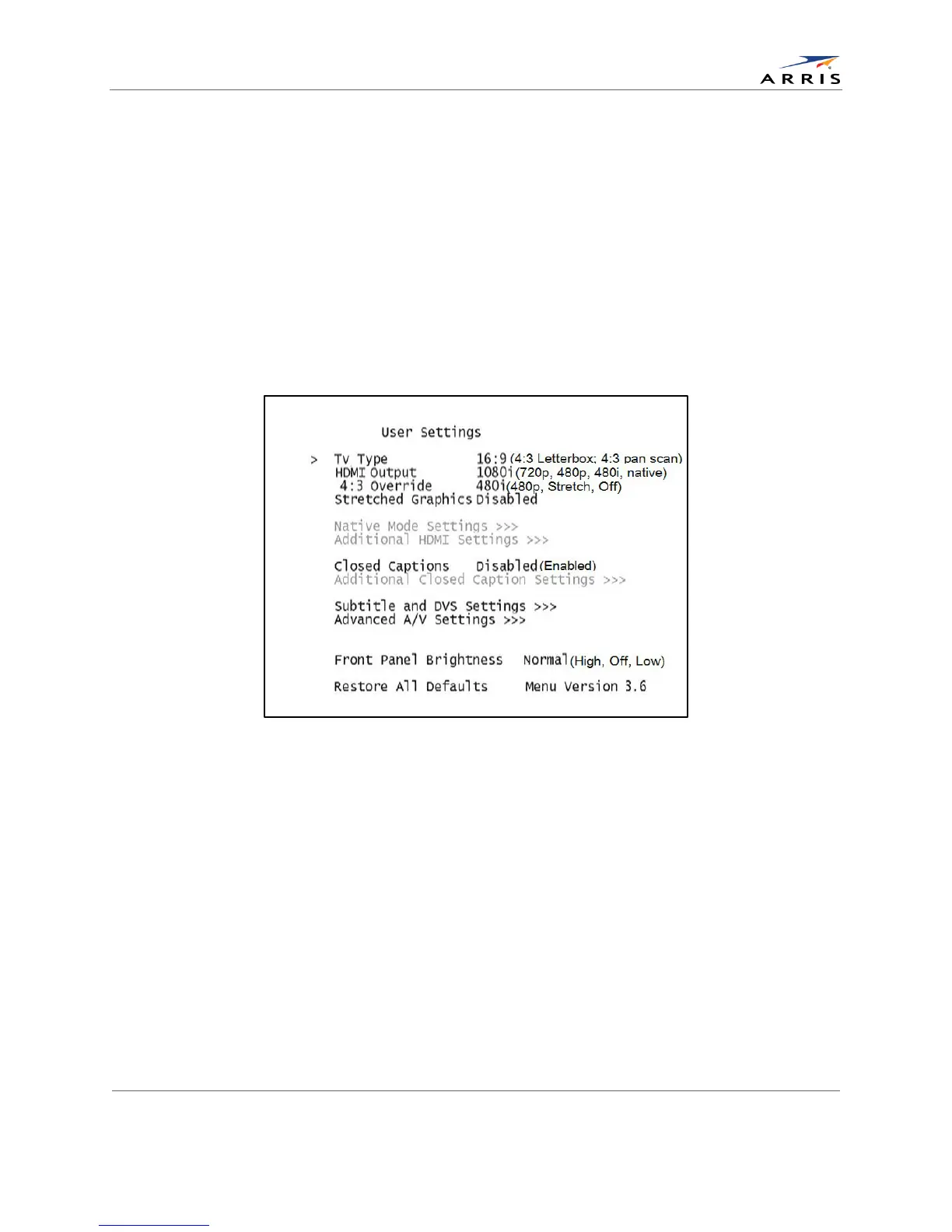
Configuring the User Settings
Use your remote control to navigate the on-screen display:
• Press the ▲ and ▼ keys to highlight the setting you wish to change.
• Press the ► key to select an option for that setting.
• To exit the setting and move to another setting, use the ▲ and ▼ keys.
• To exit the menu and save your settings, press the power or menu key.
If the User Settings menu does not display on the HDTV Screen, the TV may not support the
default video output settings. Connect the set-top to a Standard-Definition connection in order
to view the menu. See the Troubleshooting section for more information.
The User Settings menu options available from the main screen are illustrated and defined
below.
Figure 9: User Settings Menu—Available Options Illustrated
All-Digital, High-Definition Set-top DCX525 • User Guide 16
© ARRIS Enterprises, Inc. 2015 All rights reserved. 365-095-25821 x.2



 To Next Page