Configuring the User Settings
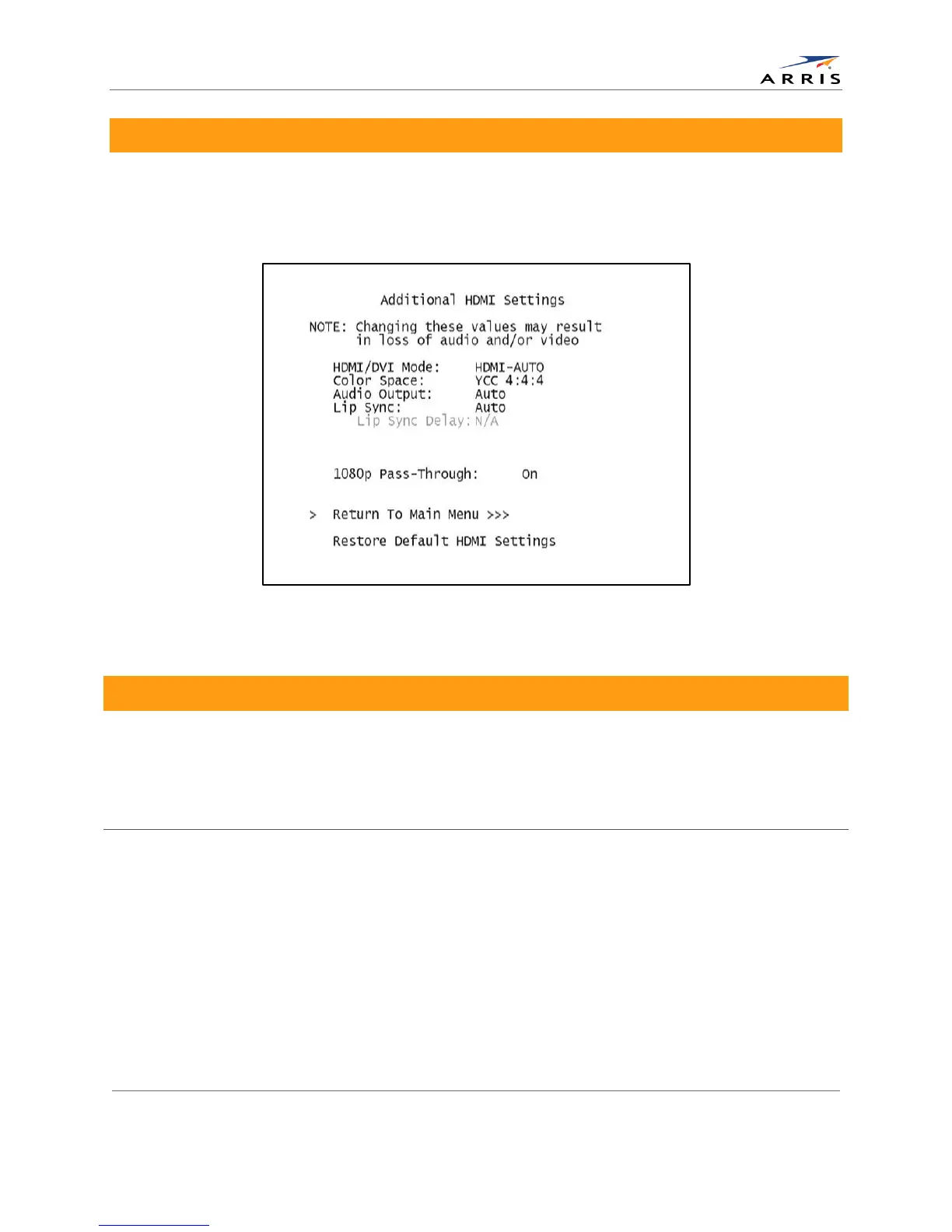
Additional HDMI Settings Screen
The Additional HDMI Settings menu is used to configure advanced options that affect the
operation of the DCX525 with other HDMI display devices. Adjustable options include display
mode, color space, audio output mode and audio lip sync delay.
Figure 11: Additional HDMI Settings screen
Table 4: Additional HDMI Settings Field Definitions
Allows you to optimize the HDMI output to work with both DVI-equipped televisions and
HDMI-equipped televisions. HDMI is the default setting.
• HDMI — Optimized to work with an HDMI television or home theater receiver.
• DVI — Optimized to work with a DVI television or display device (connected via an
HDMI-to-DVI adapter).
Allows you to adjust the color space used by the DCX525 to generate the video signals on
the HDMI output. YCC 4:4:4 is the default setting.
YCC 4:4:4 — Generates video signals within the YCC color space.
RGB — Generates video signals within the RGB color space.
Note: Adjusting these settings could result in a loss of video. Only a professional installer or
someone with a good working knowledge of the color spaces supported by the TV should
change this setting.
All-Digital, High-Definition Set-top DCX525 • User Guide 23
© ARRIS Enterprises, Inc. 2015 All rights reserved. 365-095-25821 x.2



 To Next Page