Chapter 4: Installing and Connecting your Data Gateway
9. USB: USB host connector - future support for external USB devices.
Rear Panel
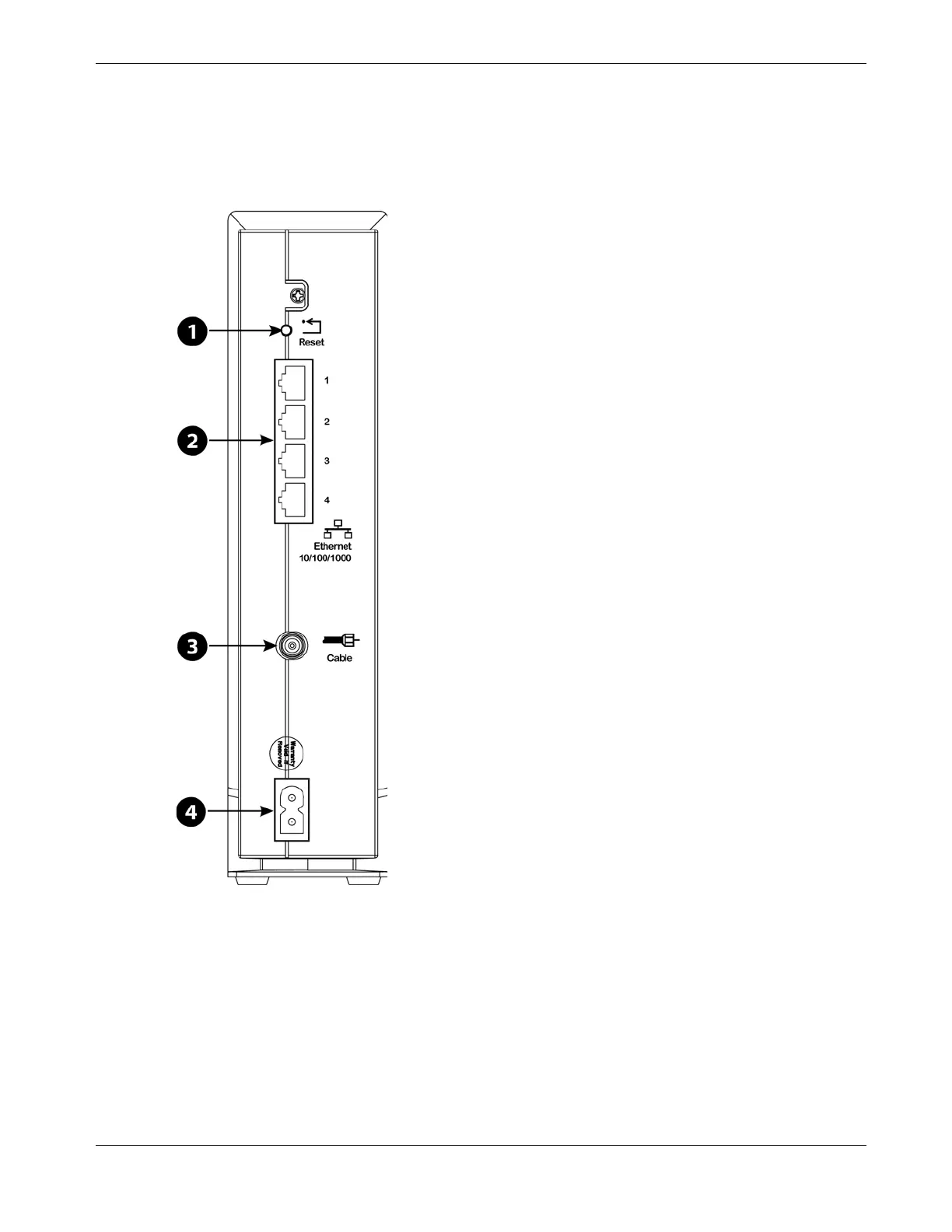
The rear of the Data Gateway has the following connectors and controls.
1. Reset button: resets the Data Gateway as if you power cycled the unit. Use a pointed
non-metallic object to press this button.
2. Ethernet (1 - 4): connectors for use with a computer LAN port.
3. Cable: connector for the coaxial cable.
4. Power: connector for the power cord.
Release 16 STANDARD 1.3 March 2015 Touchstone DG1680 Data Gateway User Guide 18














 To Next Page