Chapter 4: Installing and Connecting your Data Gateway
interference with other networks and make it harder for unwanted users to find and connect to your
network.
Note: Setting the transmit power level to High increases the range. Setting it to Medium or
Low decreases the range proportionately.
Connecting the Data Gateway
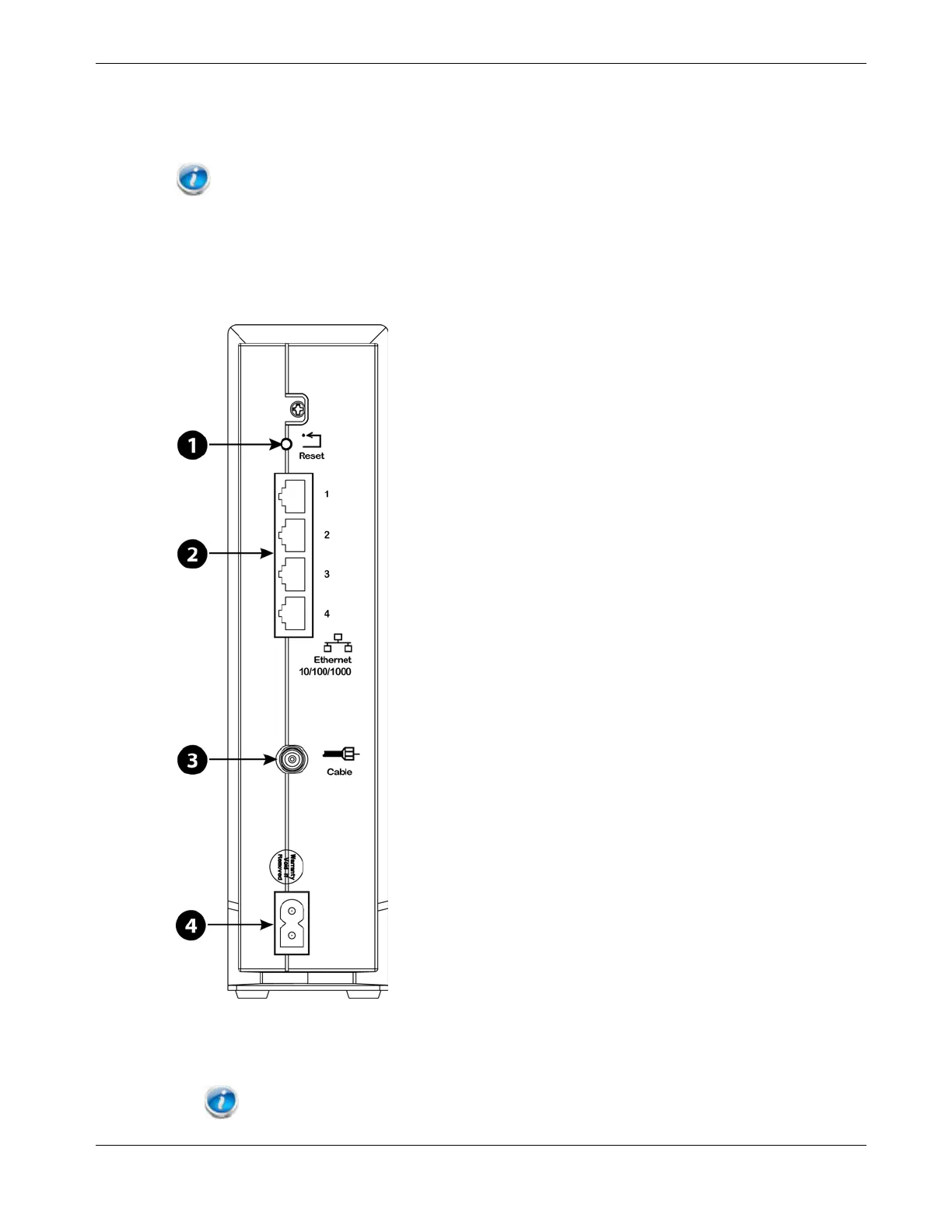
1. Connect one end of the coax cable to the cable outlet or splitter, and the other end to
the Data Gateway’s Cable connector (3). Tighten the connections by hand, then tighten
an additional 1/8 turn with a wrench.
Note: For best performance, use high-quality coax cable and minimize or eliminate
splitters between the cable jack and the Data Gateway. If you are using MoCA for your home
Release 16 STANDARD 1.3 March 2015 Touchstone DG1680 Data Gateway User Guide 20














 To Next Page