13
TM508/TM512 Installation Guide Release 5 Standard 1.2 Mar 2007
Wall-Mounting the Chassis
Use this procedure to mount the Telephony Modem on a wall or other
vertical surface. For best results, ARRIS recommends mounting the
Telephony Modem to a plywood surface.
Note: For rack-mounting instructions, see “Rack-Mounting the
Chassis” on page 12.
Required Tools You need #2 and #1 Phillips screwdrivers to wall-mount the Telephony
Modem.
The package includes mounting brackets and screws required to attach
the brackets to the Telephony Modem. The package does not include
the screws required to attach the unit to the wall.
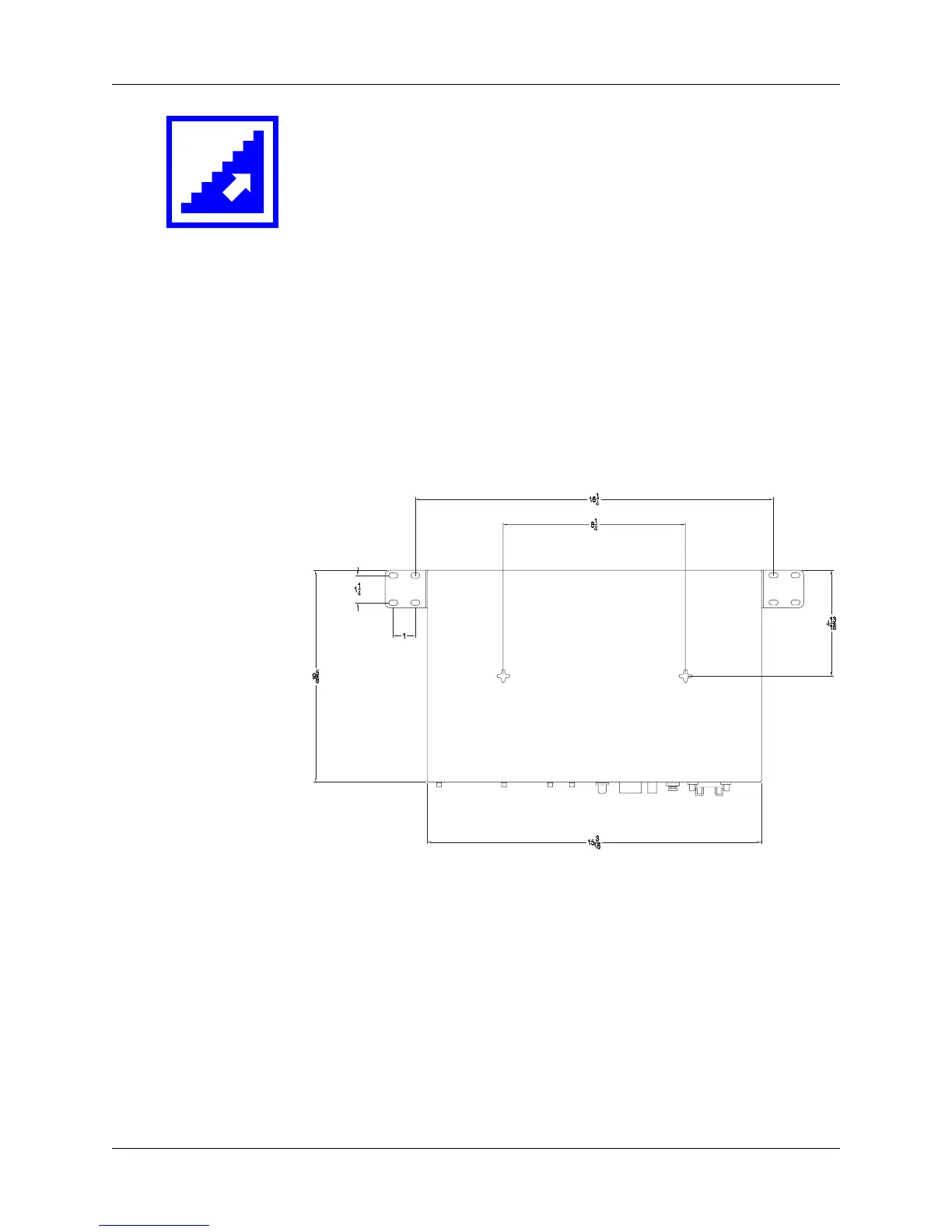
Spacing The following diagram shows mounting hole and bracket spacing.
Action Perform one of the following tasks as desired.
Task Page
Using the Mounting Holes.....................................................14
Using the Rack-Mounting Brackets.......................................14















 To Next Page