21
TM508/TM512 Installation Guide Release 5 Standard 1.2 Mar 2007
Installing the Battery Backup Power Supply
Use this procedure to mount and connect the battery backup power sup-
ply kit, part number 718115K, to the Telephony Modem.
Note: Before installing the power supply, charge the battery as
instructed by the documentation accompanying the power supply
kit.
Location Locate the power supply within 4 feet of the rear of the Telephony
Modem. The power cable supplied with the kit is 6 feet (1.8 m) long;
allow for slack and routing considerations.
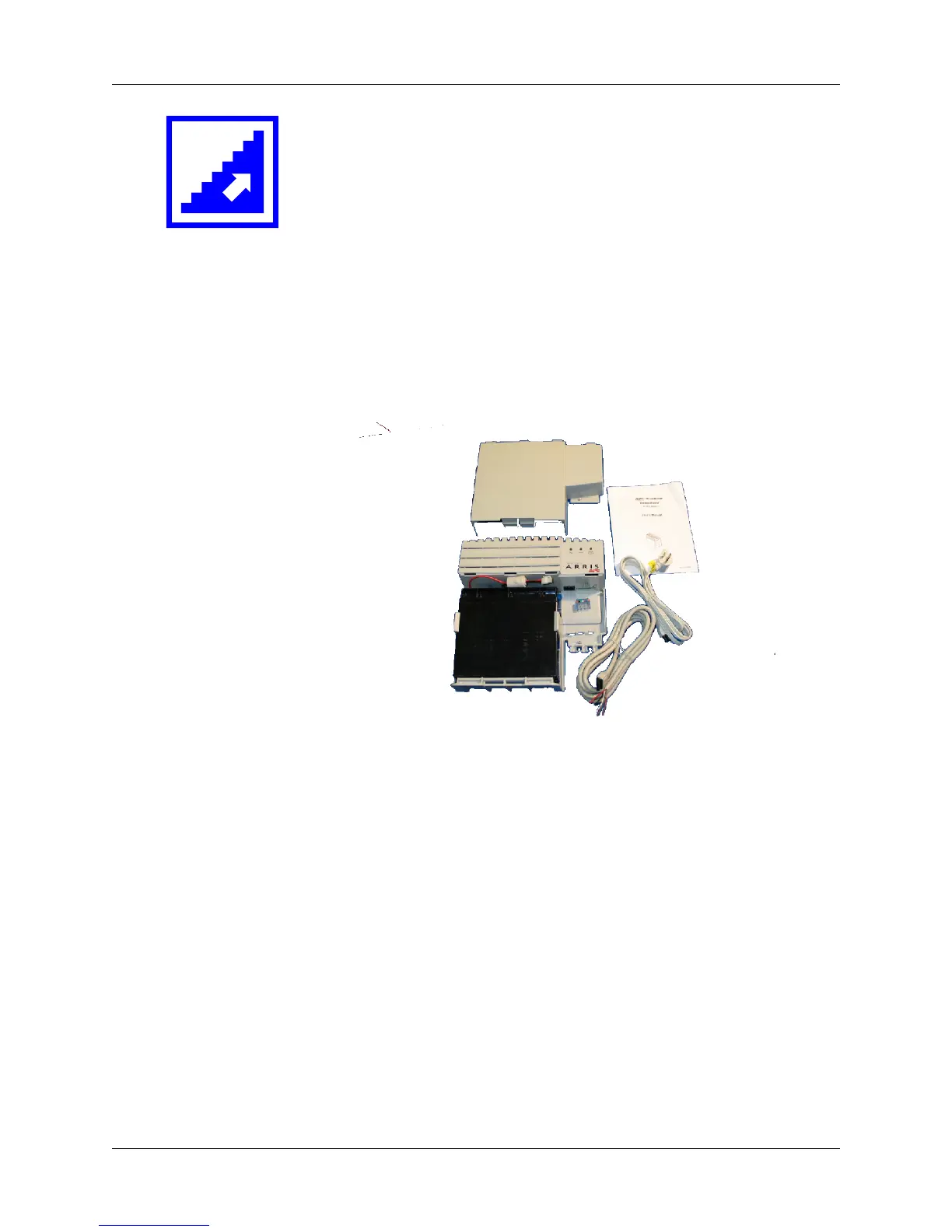
Kit Contents The kit contains the following items:
1 Power supply unit
2 20 Ah sealed lead-acid battery
3 Cover
4 Documentation
5 AC power cord
6 DC power/telemetry cable
Required Tools You need a #2 Phillips screwdriver to install the power supply kit.
Tools are available from ARRIS Telewire Supply.
Additional Items The following additional items are required, but not supplied, depend-
ing on the mounting surface.
1
2
3
4
5
6















 To Next Page