22
Touchstone Telephony Release 5 Standard 1.2 Mar 2007
• To mount the power supply on drywall, you need two drywall
anchors.
• To mount the power supply on plywood, you need two 1-inch
#6 wood screws.
CAUTION
Risk of equipment damage
Connect only DC or AC power, not both, to the TM512. Connecting
both supplies may cause a reset upon loss of AC power.
Action Perform the following tasks in the order shown.
Task Page
Mounting the Power Supply ..................................................22
Connecting the Cables ...........................................................23
Mounting the
Power Supply
Follow these steps to mount the power supply.
1 Remove the battery from the power supply and set the battery aside.
2 Place the power supply on the mounting surface at the desired loca-
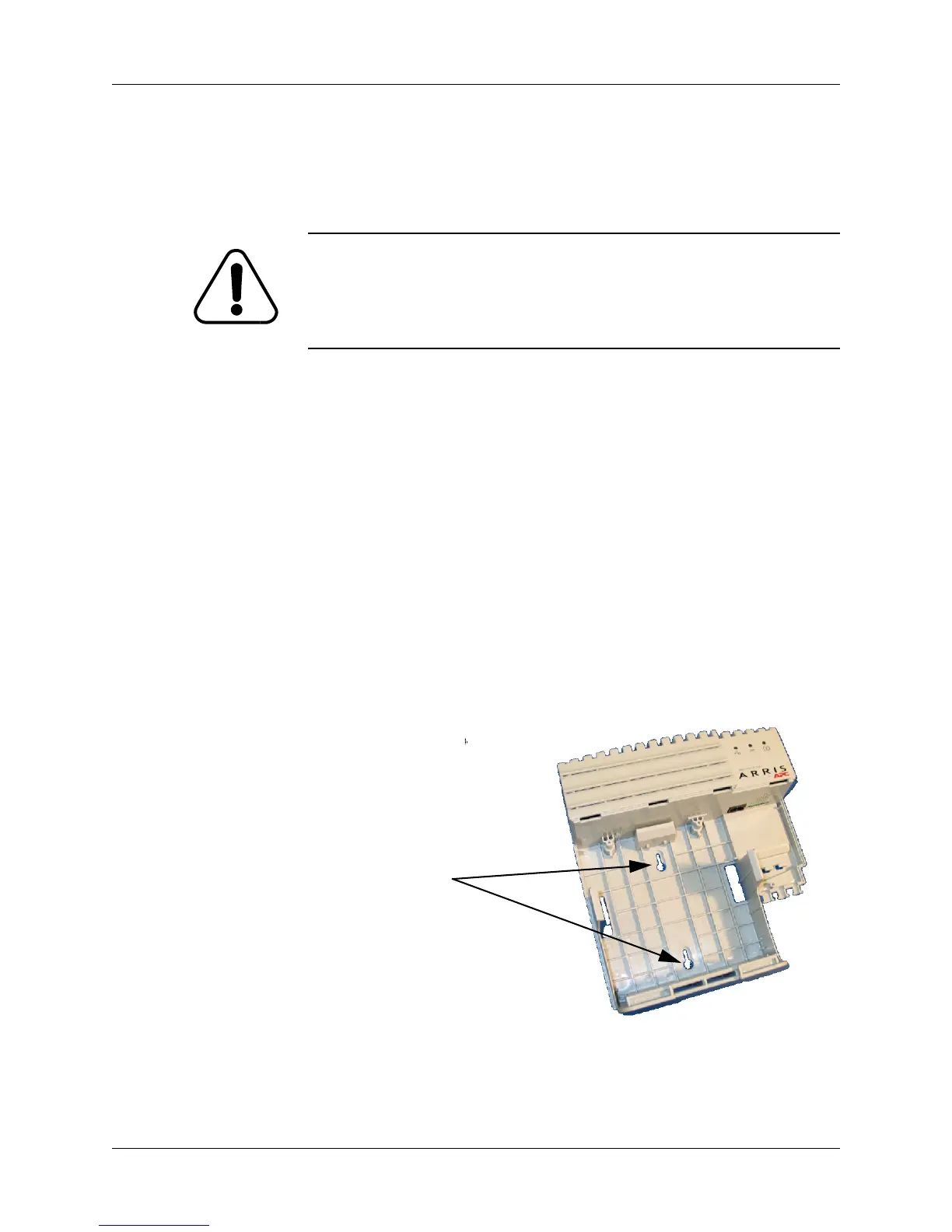
tion. Mark the ends of the keyhole slots. The following diagram
shows the locations of the keyhole slots.
3 After marking the mounting slot location, set the power supply
aside.
Keyhole Slots















 To Next Page