18
★
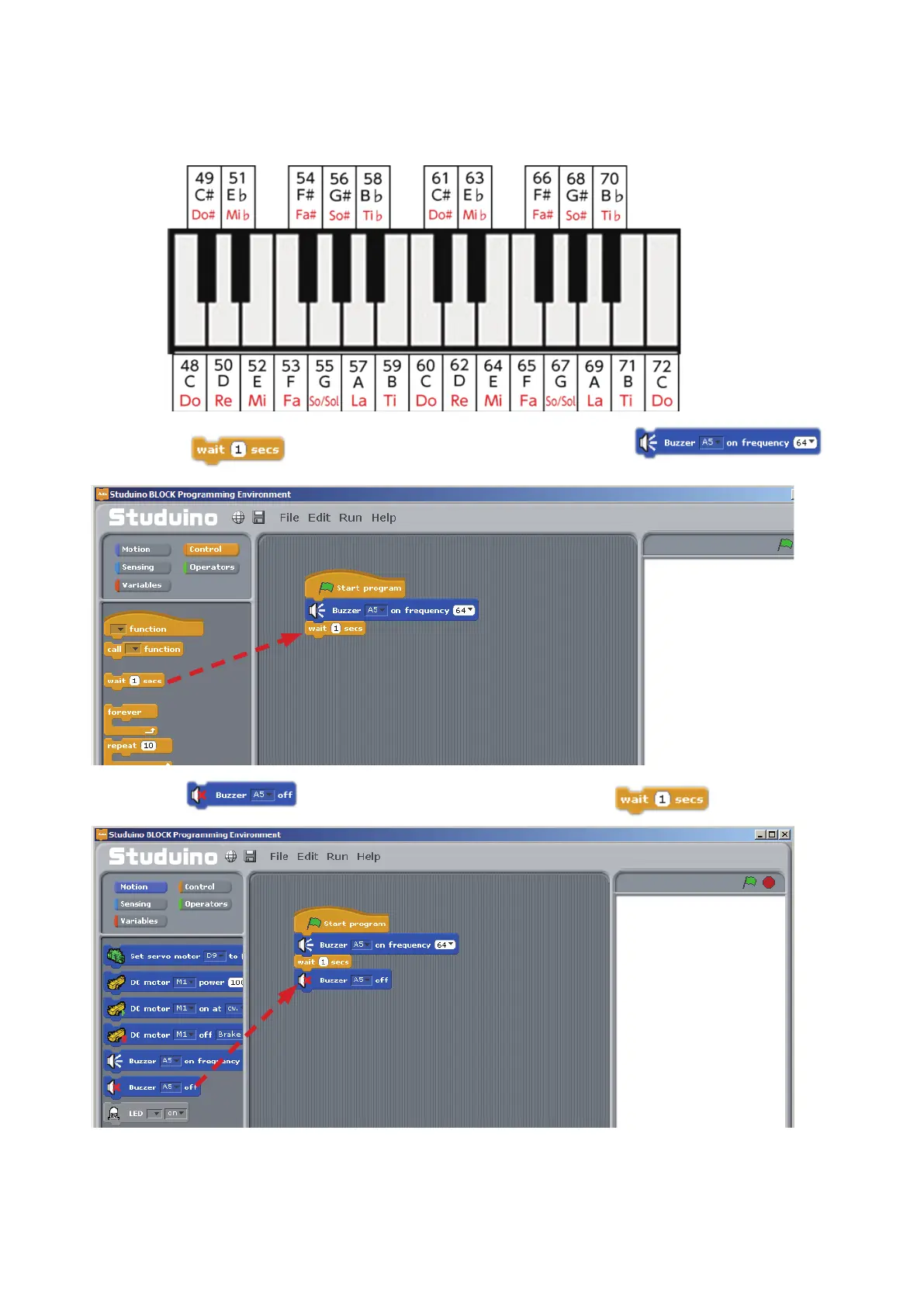
Notes in the programming software are shown as numbers. These numbers follow the MIDI standard,
which allows performance data for musical instruments to be transferred between devices. The note
equivalent for each number is shown below.
③
Drag
from the Control Palette and connect it to the
block.
Drag and drop
④
Drag
from the Motion Palette and connect it to the block.
Now you’ve programmed your Buzzer to play the note E (64), or Mi, for one second.
Use a USB cable to connect your Studuino to your PC. Now choose Transfer from the Run menu to
transfer your program.
Drag and drop



 To Next Page