57
5.6.3. How a Sound Sensor Works
Let’s take a look at your Sound Sensor’s values. Use a USB cable to connect your Studuino to your PC.
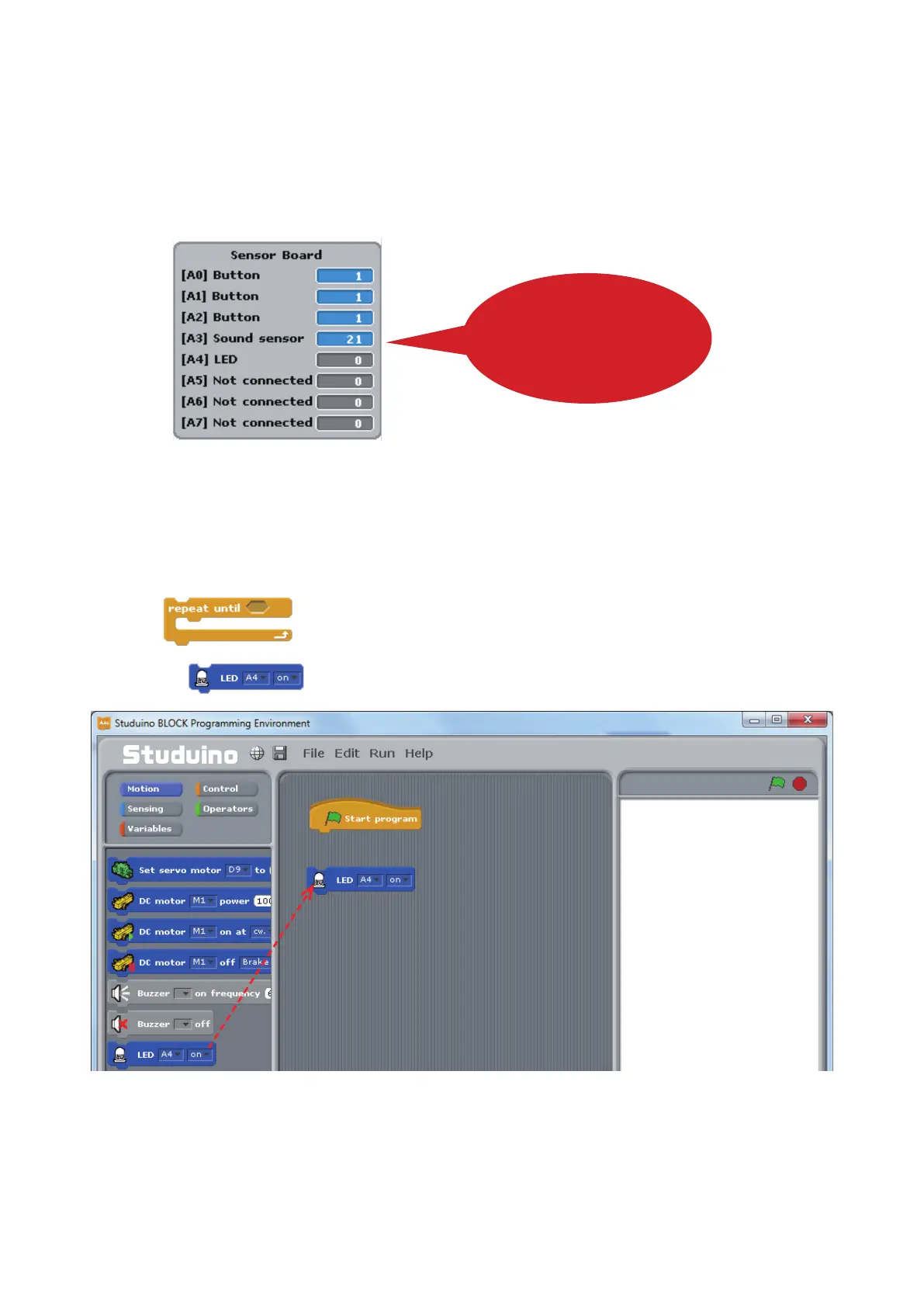
Now choose Test ON from the Run menu. Start Test Mode and you’ll see the Sensor Board displaying [A3]
Sound Sensor.
Your Sound Sensor has a range of 0-50, starting at 0 for silence and increasing towards 50 as sounds
become louder. Try clapping near the Sound Sensor or blowing directly on it as you look at the Sensor
Board to see how the values change.
Values change in response
to volume and the
strength of your breath
Once you’re nished, choose Test OFF from the Run menu to close Test Mode.
5.6.4. Programming
Now let’s program a blinking LED to turn o when you blow on the Sound Sensor. We’ll also be learning how
to use the block.
①
Drag from the Motion Palette to the Script Field.
Drag and drop



 To Next Page