32
5.2.1. Port Settings
Before programming, you'll need to set the ports in the Block Programming Environment to match the parts
connected to your Studuino.
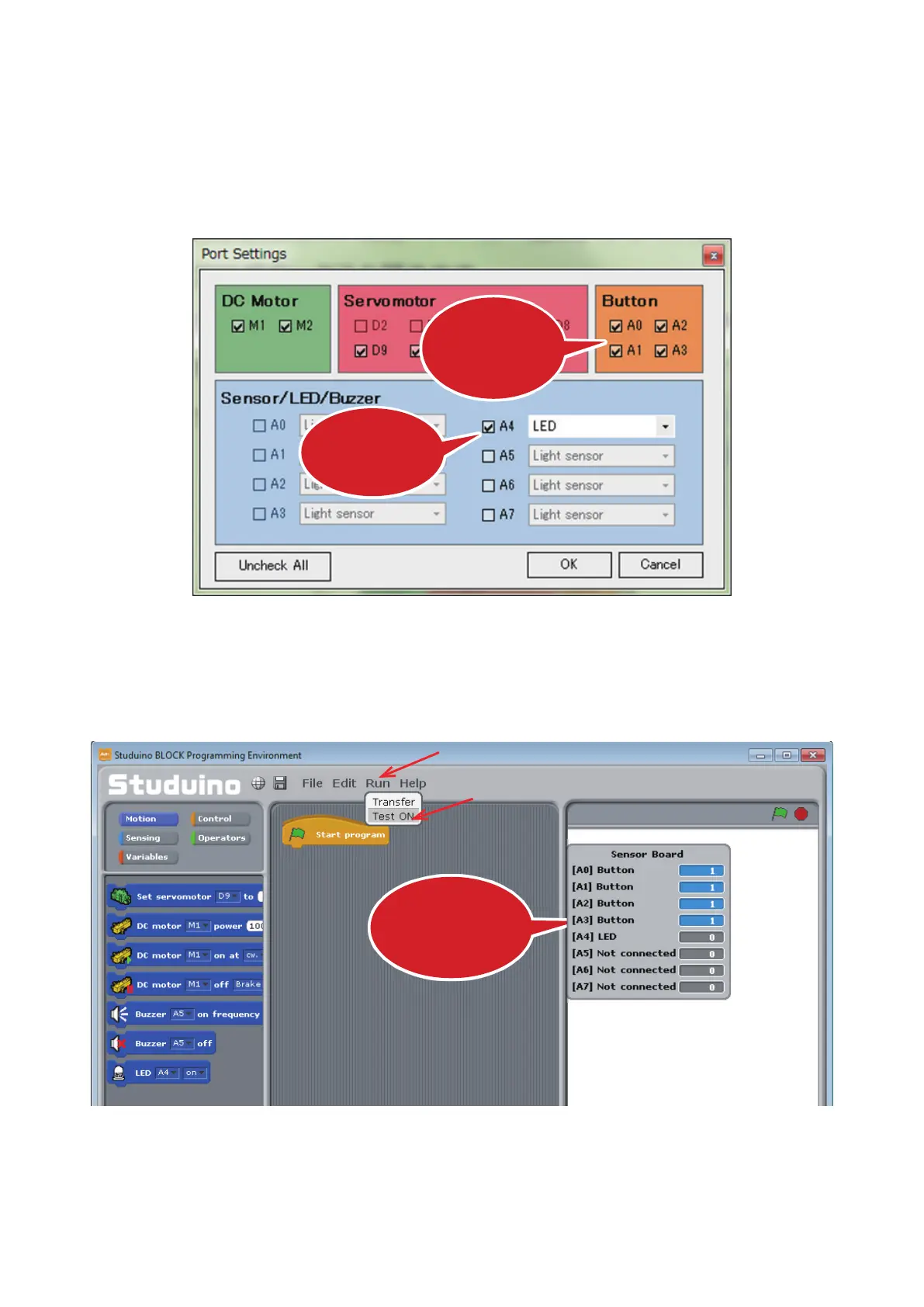
Select Edit from the menu and choose Port Settings to open the Port Settings dialog box. Make sure that
boxes A0-A3 are checked under Button and that you’ve selected LED for Sensor/LED/Buzzer connector
A4 (and check the box if it isn’t checked already).
5.2.2. How Push-buttons Work
Let’s take a look at how a Push-button works. Use a USB cable to connect your Studuino to your PC. Now
choose Test ON from the Run menu.
Make sure these
boxes are checked
Make sure this box
is checked
You’ll see the Sensor
Board
①
Click
②
Click



 To Next Page