14
3.6. Changing the Speed of a Blink
Now we’re going to control how fast your LED blinks based on the program from 3.5. Setting a Number of
Blinks. While you can change the speed of an LED by changing the value in the block, let’s
try using a variable to change multiple values at once.
①
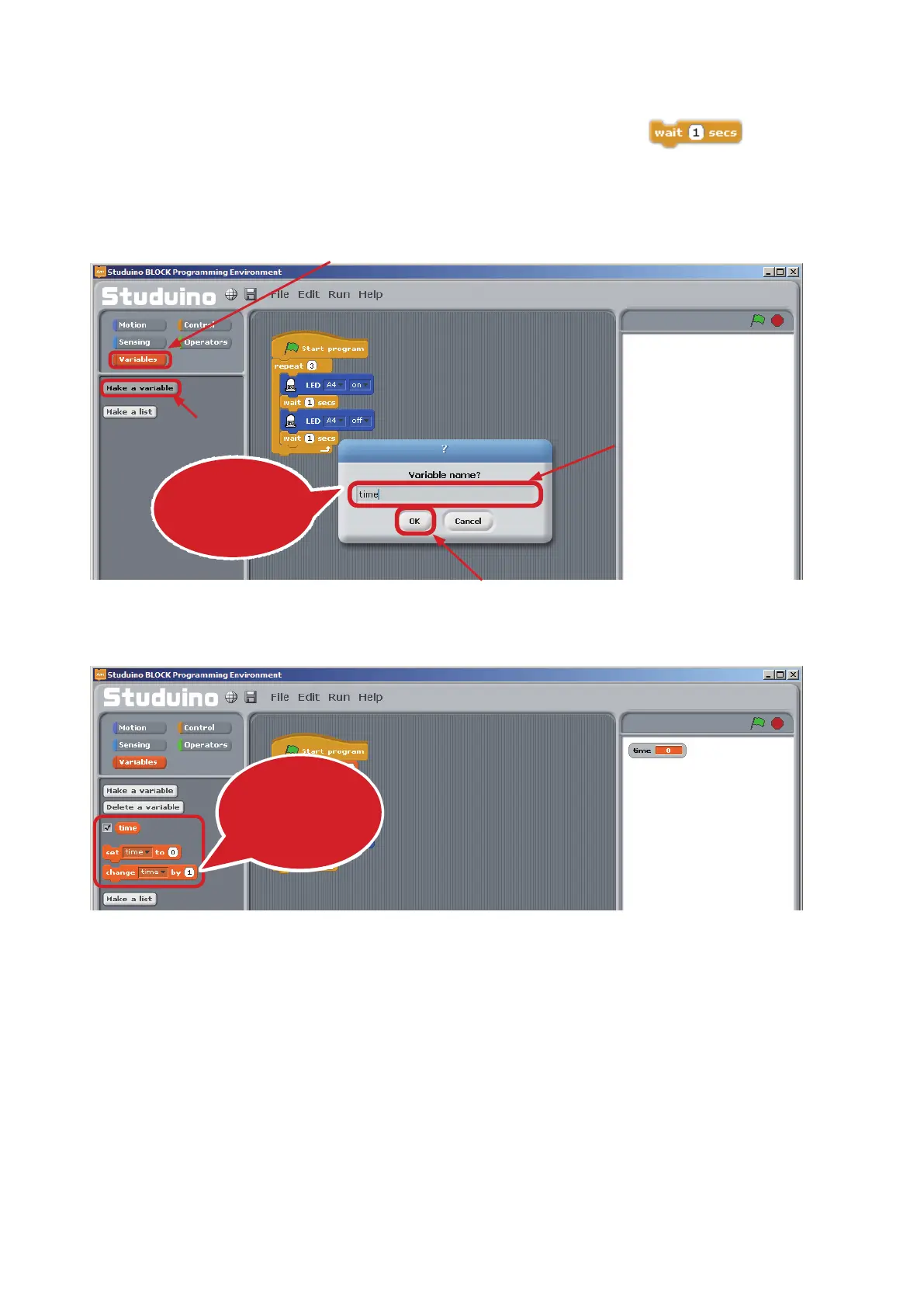
Open the Command Palette and click the Variables button. Now click Make a variable. You’ll be
asked for a variable name. Name your variable time and click OK.
②
You’ll now see blocks that let you control the time variable
④
Click here
③
Name it "time"
①
Click
②
Click
This dialog box
lets you name the
variable
These blocks will
appear
automatically



 To Next Page