13
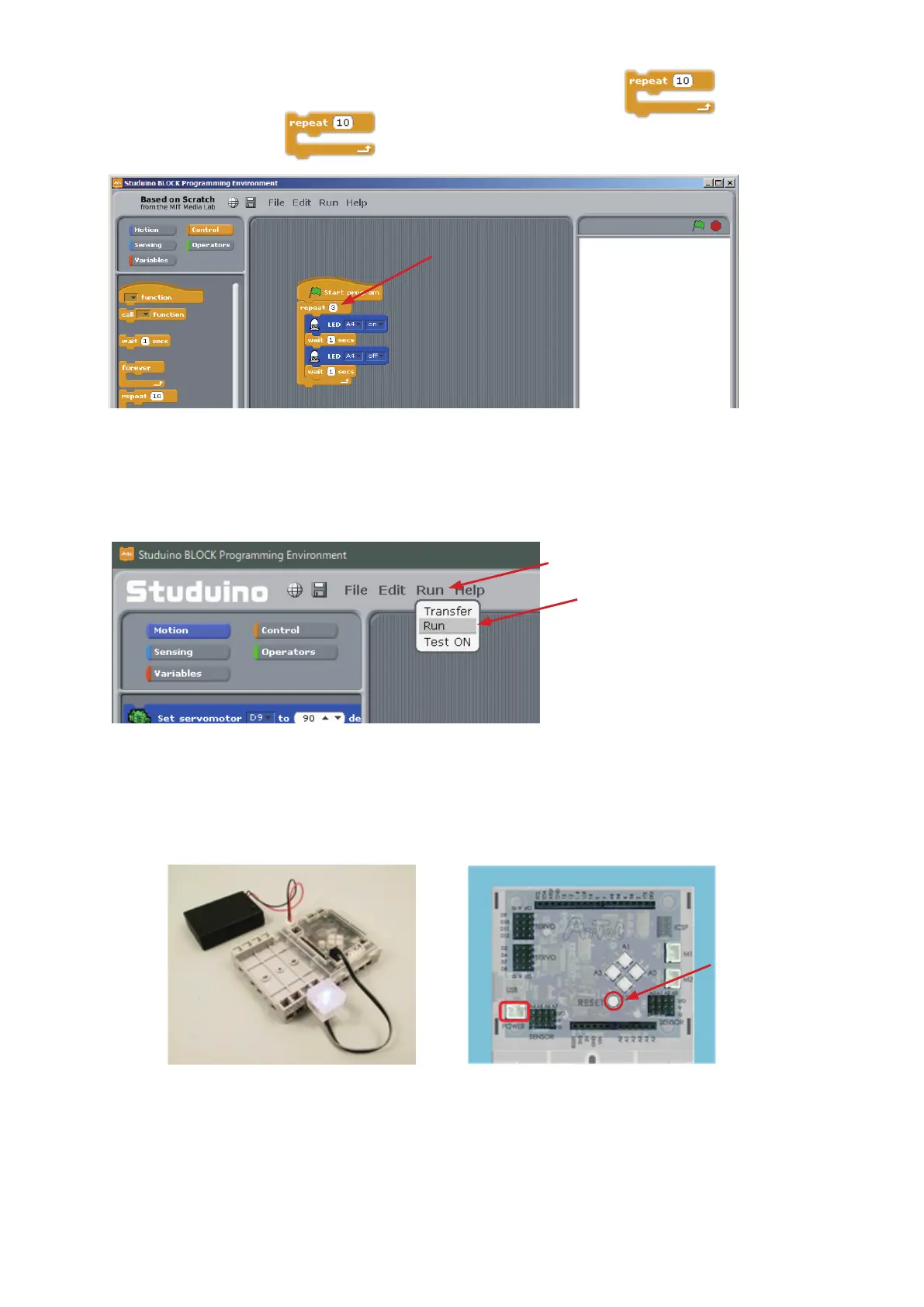
Next, we’ll change the number of blinks by changing the number in the block.
⑤
Click the 10 in the
block and type in the number of LED blinks you want.
Use a USB cable to connect your Studuino to your PC. Now choose Transfer from the Run
menu to transfer your program. Once the transfer nishes, the LED will automatically blink the
number of times you set.
You can start a transferred program by choosing Run from the Run menu.
★
Once you’ve transferred a program, you can run it using power from your Battery Box. Unplug your USB
cable from the Studuino. Now plug in your Battery Box, turn it on, and check to see if your LED blinks the
number of times that you set.
★
Once your program nishes, restart it by pressing the RESET button on the board.
Battery Box
Click here and type
①
Click
②
Click
RESET Button
POWER



 To Next Page