12
③
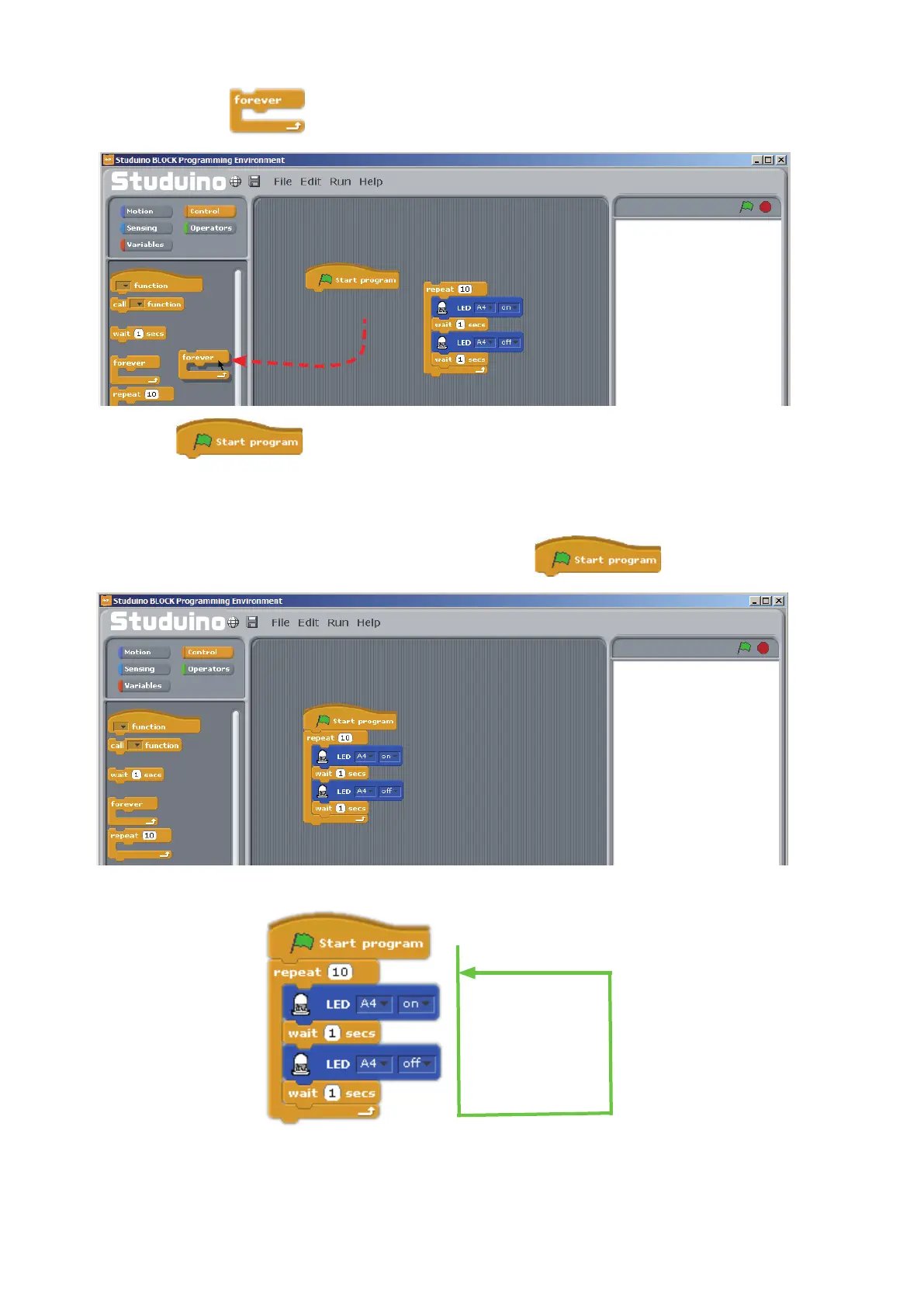
Drag the
block back to the Block Palette to delete it.
Except for , any block can be deleted by dragging it back to the Block Palette.
★
Right-click a block to bring up the context menu and click Delete to delete it.
★
Select Undelete from the Menu bar to restore a block if you've accidentally deleted it.
④
Connect the group of blocks you made in
②
to the block.
Drag and drop
Now you’ve programmed your LED to blink ten times in a row.
Use a USB cable to connect your Studuino to your PC. Now choose Transfer from the Run
menu to transfer your program. The LED will blink 10 times in 1-second intervals once the
transfer nishes.
①
Turn on LED
②
Wait one second
③
Turn o LED
④
Wait one second
Repeat 10 times



 To Next Page