9
3.4. Making an LED Blink
Now we’re going to program your LED to blink based on the program from 3.3. Lighting Up
an LED. This section will teach you about repeats by using the
block to make your
program repeat forever.
①
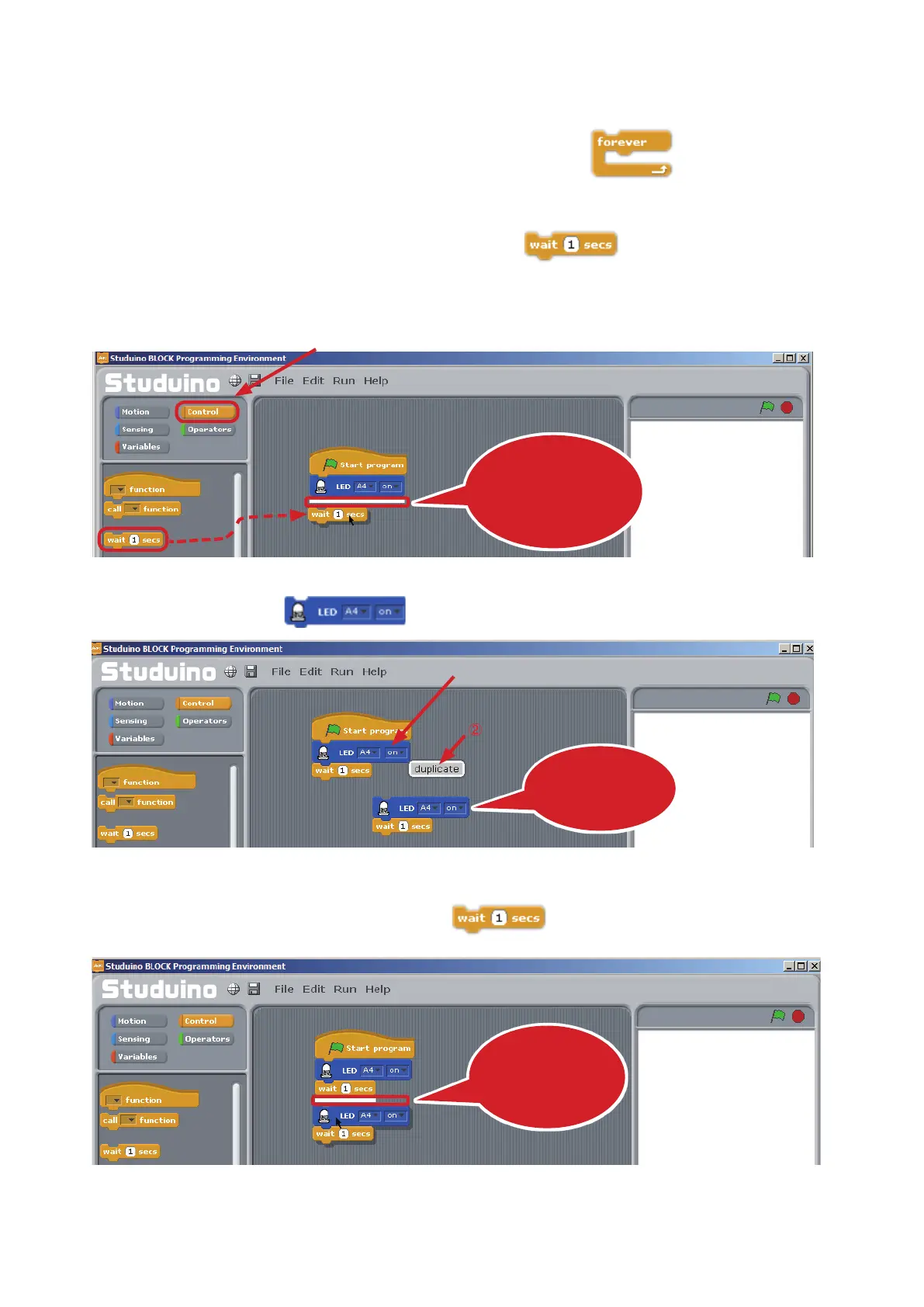
Click Control in the Command Palette then drag
from the Control Palette to
the Script Field. Connect it to the blocks of your last LED program.
②
Right-click on the
block. Now click Duplicate in the menu.
③
Now connect the block to the bottom of
.
Drag the block and
drop it once you see
the white line
②
Click
①
Drag and drop
Right-click
①
②
Choose Duplicate
This will duplicate
the block!
Connect it to the
end of your
program



 To Next Page