7
Click
3.3. Lighting Up an LED
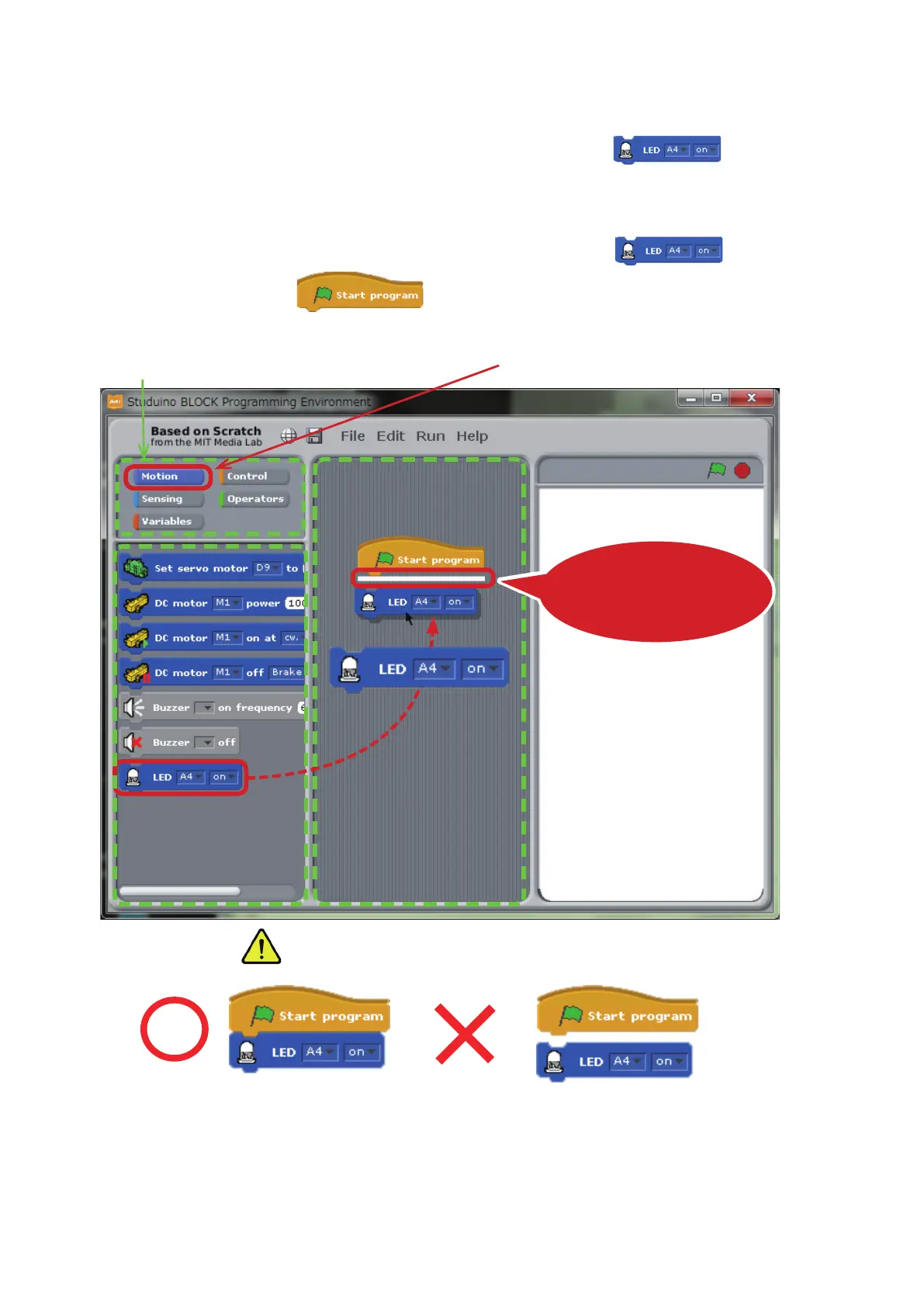
It’s time to start learning about some programming basics using the block.
①
Click the Motion button in the Command Palette. Now drag to the Script
Field and connect it to the
block.
①
Drop the block once
you see the white line
②
Drag and Drop
Command Palette
Block
Palette
Make sure the block is connected!
★
Move blocks anywhere in the Script Field by dragging and dropping them. Dragging and
dropping a block will also move any blocks connected to it.
Script Field



 To Next Page