23
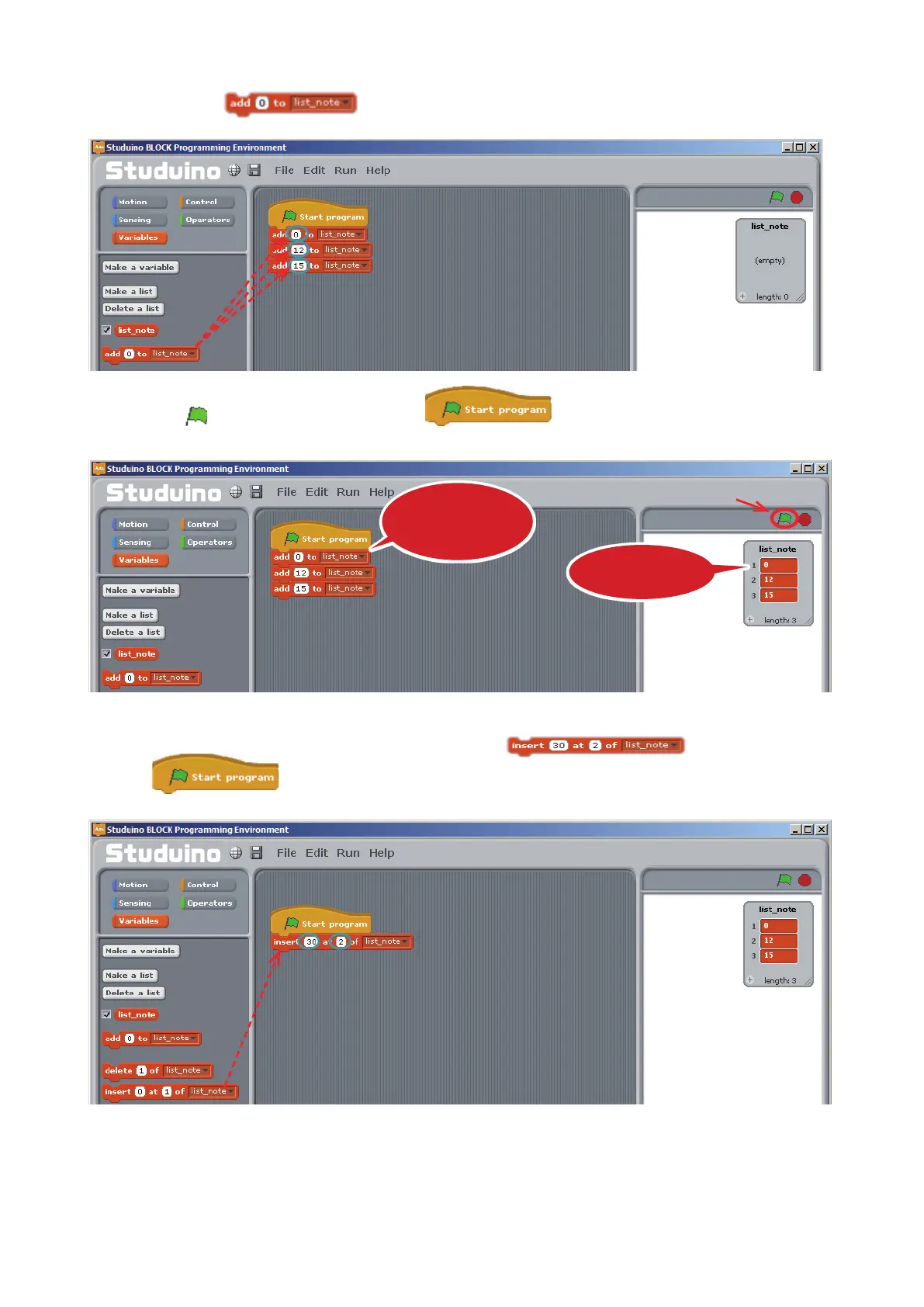
Now we'll learn how each block controls a list.
③
Drag three
blocks to the Script Field. Now set them to 0, 12, and 15.
④
Click
and the blocks connected to will be run in order. This will add the
values 0, 12, and 15 to the list.
⑤
Delete the blocks you made in
③
. Now connect the
block
to
and set it to add 30 at row 2.
Drag and drop
Click
The program will
be run in order
The values will
be added
Drag and drop



 To Next Page