25
⑨
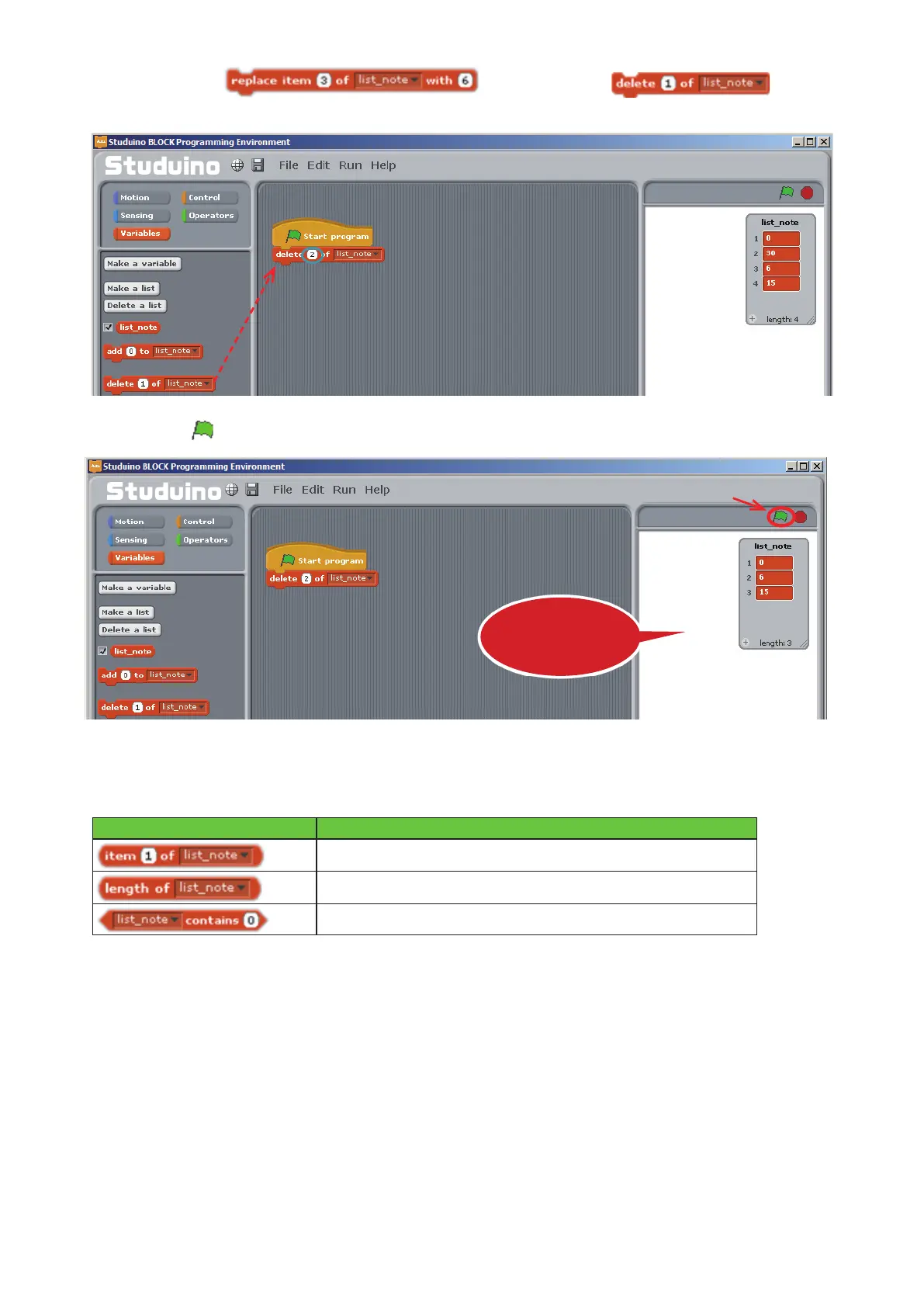
Delete the
block. Now drag to the
Script Field, connect it to your program, and set it to delete the number at row 2.
⑩
Click
.
You can use the steps listed above to modify (add, insert, replace, or delete) values in a list. You can also
access the information in the list with the following blocks:
Block What it Does
Gets the value of the specied row.
Gets the length of the specied list.
Checks whether the list contains the specied value.
Next, we'll use a list to recreate the program from 4.4. Playing a Melody.
Drag and drop
The value at row 2 will
be deleted
Click



 To Next Page