27
⑬
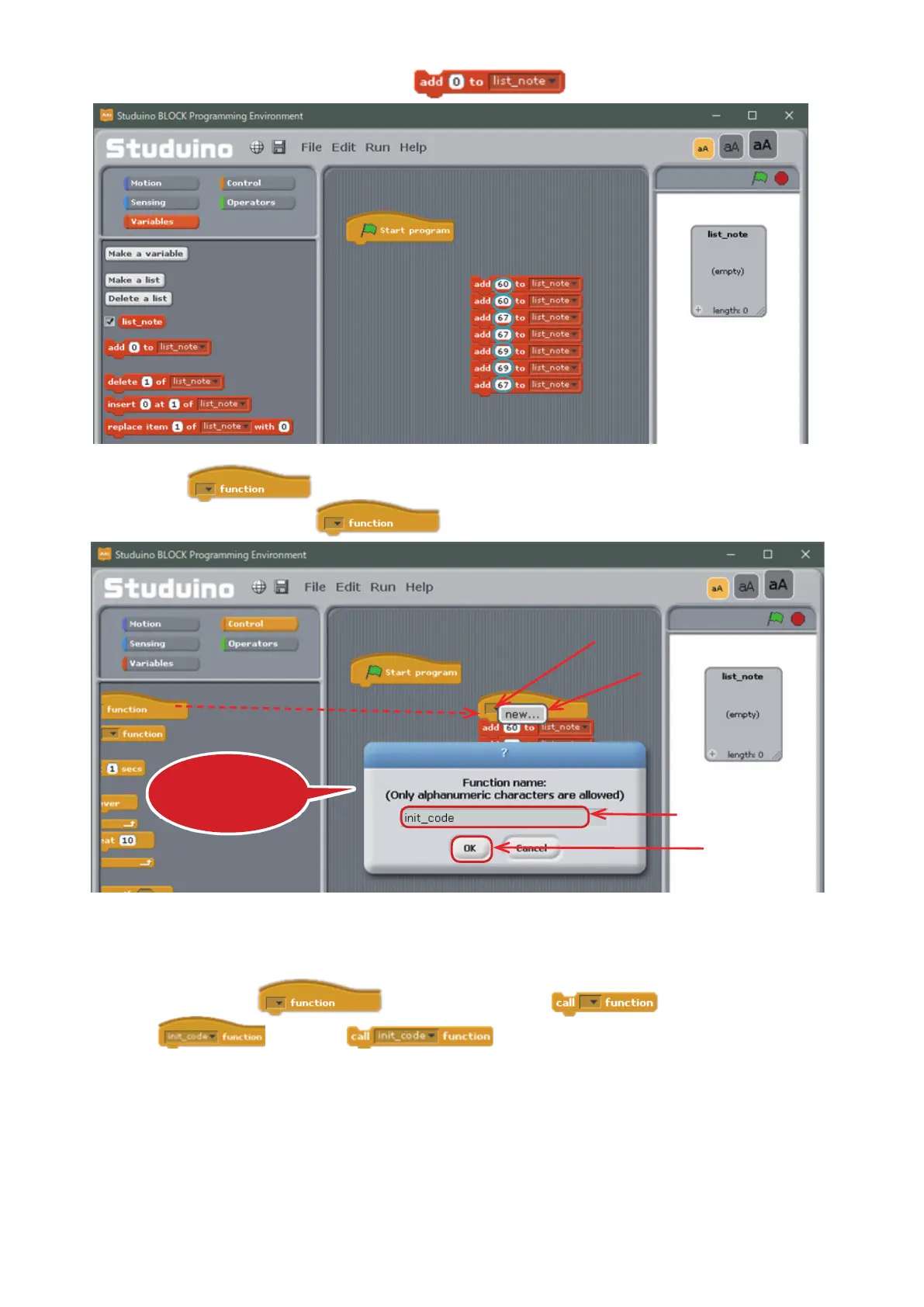
Enter the values shown below into the
blocks.
These values will be used for the notes.
⑭
Drag
from the Control Palette and connect it to the top of the blocks you made
in
⑬
. Now click on the ▼ in the block and choose new.... Name the function init_code.
And now you’ve made a function that will store the melody for Twinkle, Twinkle, Little Star to a list. Any
blocks connected to the
block will run when the block runs. This program
will make
run when runs, storing the codes to the list.
This dialog box lets you
name the function
Drag and drop
①
Click
②
Select
③
Name it "init_code"
④
Click



 To Next Page