30
㉑
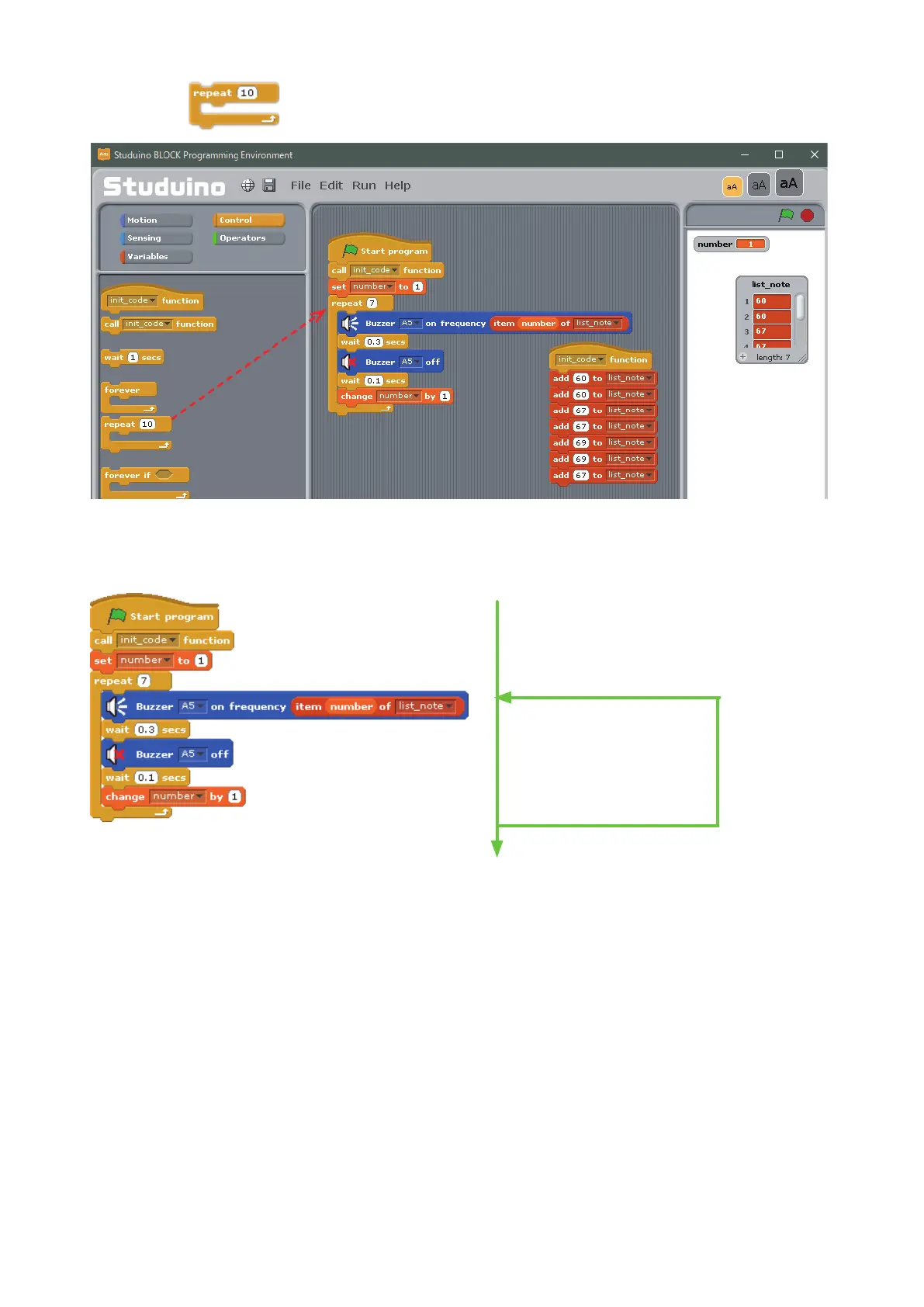
Drag
from the Control Palette and connect it to the other blocks. Set it to 7.
The program you just completed uses a list to play the beginning of Twinkle, Twinkle, Little Star. Look below
to see how your program works:
The value of number increases by one every time the program repeats, so the number variable can play
each note registered to the list in order.
Use a USB cable to connect your Studuino to your PC. Now choose Transfer from the Run menu to transfer
your program. The Buzzer will play Twinkle, Twinkle, Little Star once the program transfers.
Play the note in row "number"
Set "number" to "number + 1"
Run init_note function (registers notes to the list)
Set variable "number" to 1
Repeat 7 times
Drag and drop



 To Next Page