39
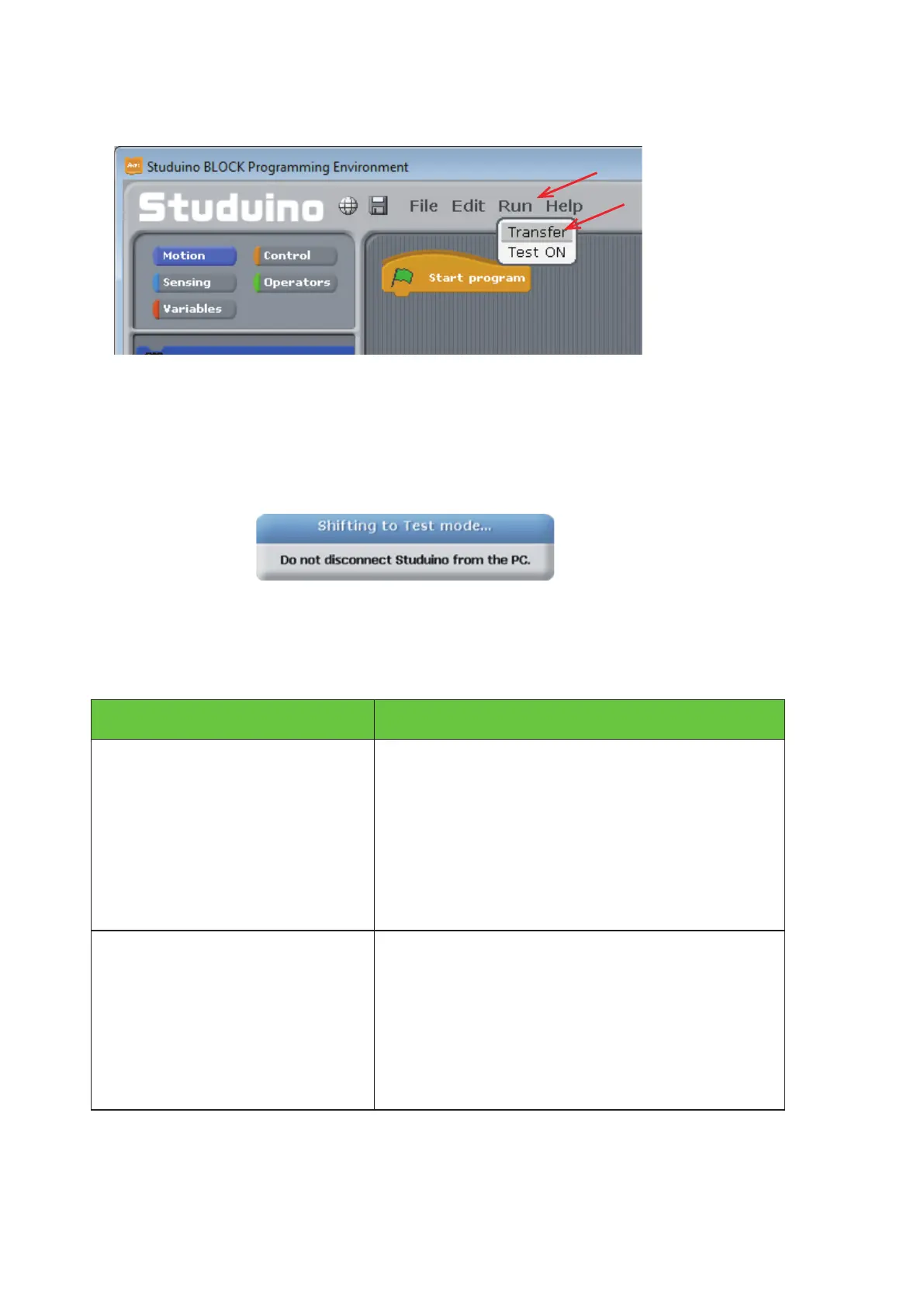
Use a USB cable to connect your Studuino to your PC. Now choose Transfer from the Run menu to transfer
your program.
Seeing the message below disappear means that your program has been successfully transferred to your
Studuino. Once the transfer nishes, press A0 and your LED will blink two times.
Your program didn’t transfer correctly if you see any of the messages below. Check the solutions and try
again.
Message Solution
Could not access to Studuino
Make sure Studuino is
connected to the PC.
Make sure your USB cable is properly
connected to your PC and Studuino.
Could not access to Studuino
Serial port already in use. Try
quitting any programs that may
be using it.
Close any applications that may be
communicating with your Studuino. If no other
applications are communicating with the board,
unplug the USB cable and press the onboard
Reset button.
①
Click
②
Click



 To Next Page