42
②
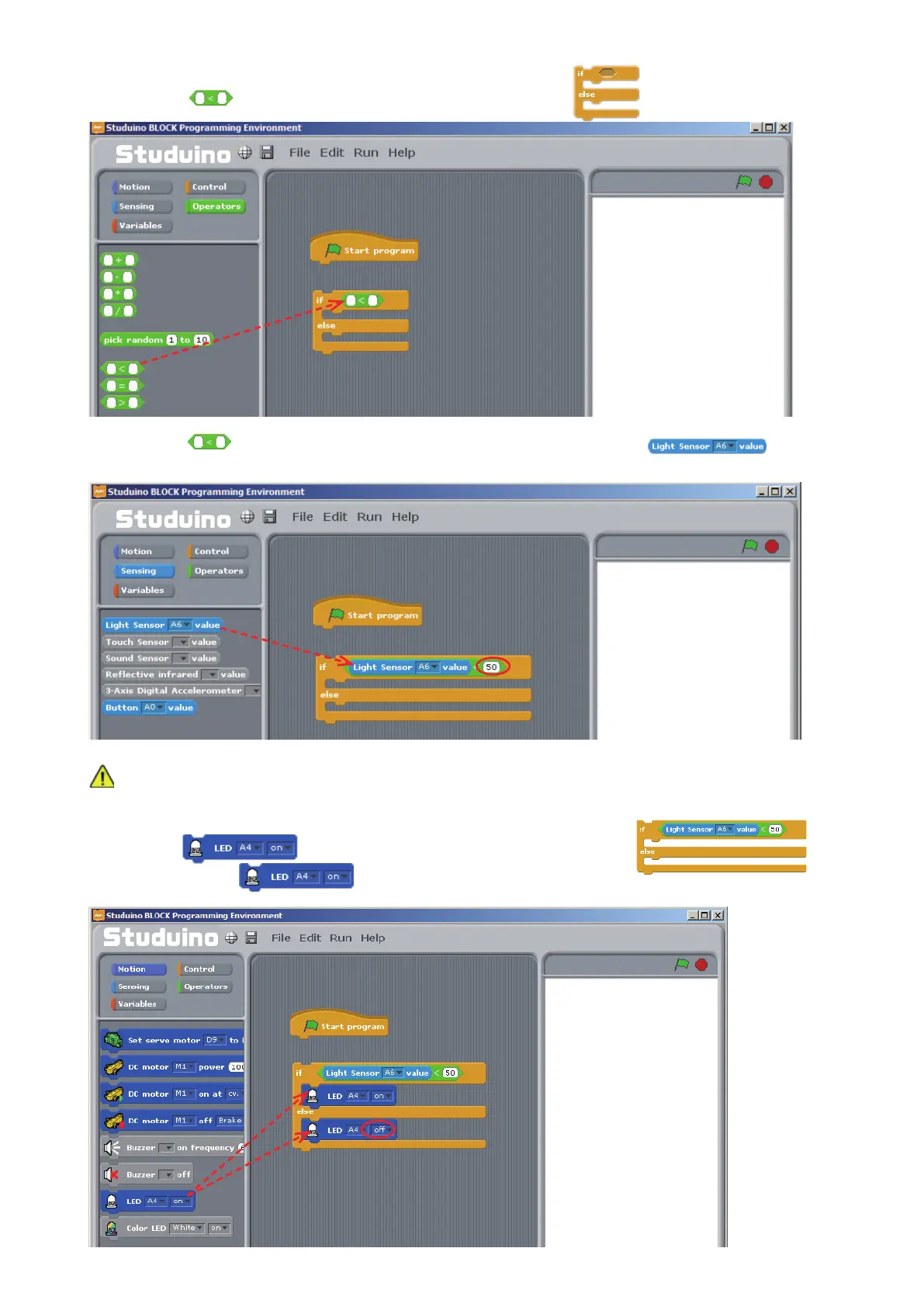
Drag from the Operators Palette and insert it into the
block.
③
Drag
from the Sensing Palette and drop it into the left side of the block.
Set the right side to 50.
Since your Light Sensor values respond to the amount of light in the room, look at the Sensor Board
to decide which value to put into the right side.
④
Drag
from the Motion Palette into the opening of the
block. Set the bottom
block to OFF.
Drag and drop
Drag and drop
Drag and drop



 To Next Page