44
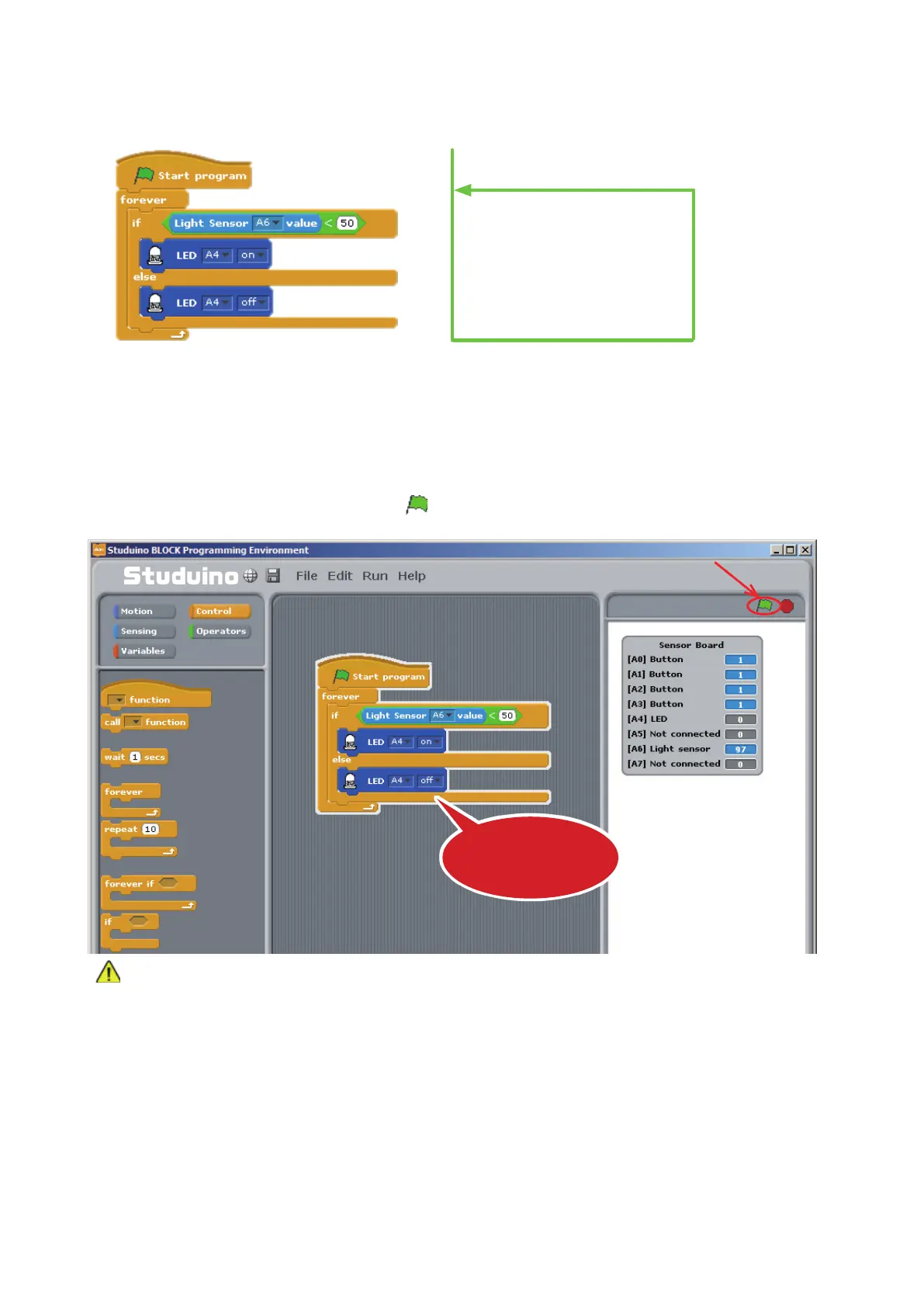
Now you’ve programmed your LED to light up in darkness and turn o in light.
⑦
Now let’s test if changing the amount of light your sensor recieves turns your LED on and o. Make
sure your Studuino is connected to your PC. Now choose Test ON from the Run menu.
⑧
Once you’ve opened Test Mode, click
.
Never disconnect your USB cable while in Test Mode!
The blocks currently running will have a white outline. Take a look at the Sensor Board as you cover the
Light Sensor with your hand and see how the values change.
Choose Transfer from the Run menu to transfer your program to your Studuino. Now you can unplug your
USB cable and run your program using the Battery Box.
Repeat forever
If dark
Turn on LED
If light
Turn o LED
Click
The program will run
in Test Mode



 To Next Page